


ApparelMagic Awards 2026
Great work deserves a bigger spotlight
Give your team a faster way to move from prompt to product by generating apparel concepts, refining visuals, and creating new styles without leaving the platform.


Spend less time waiting on sketches, samples, and image revisions – and more time exploring, refining, and moving the strongest concepts forward.
3 hours
15 min
Generate initial design concepts from a product idea
92% Time Reclaimed
4 hours
30 min
Compare design variations and refine key details
88% Time Reclaimed
6 hours
45 min
Finalize a design and create a new style
88% Time Reclaimed
Estimated time savings based on common design workflows. Results may vary based on complexity, catalog needs, and review process.
Generate, refine, visualize, and save product concepts directly inside ApparelMagic, so your team can explore more ideas before sampling begins.

Describe a garment, material, fit, color, and design direction in plain English, or use guided questions to shape a stronger prompt. AI Designer turns the prompt into multiple product concepts your team can review.
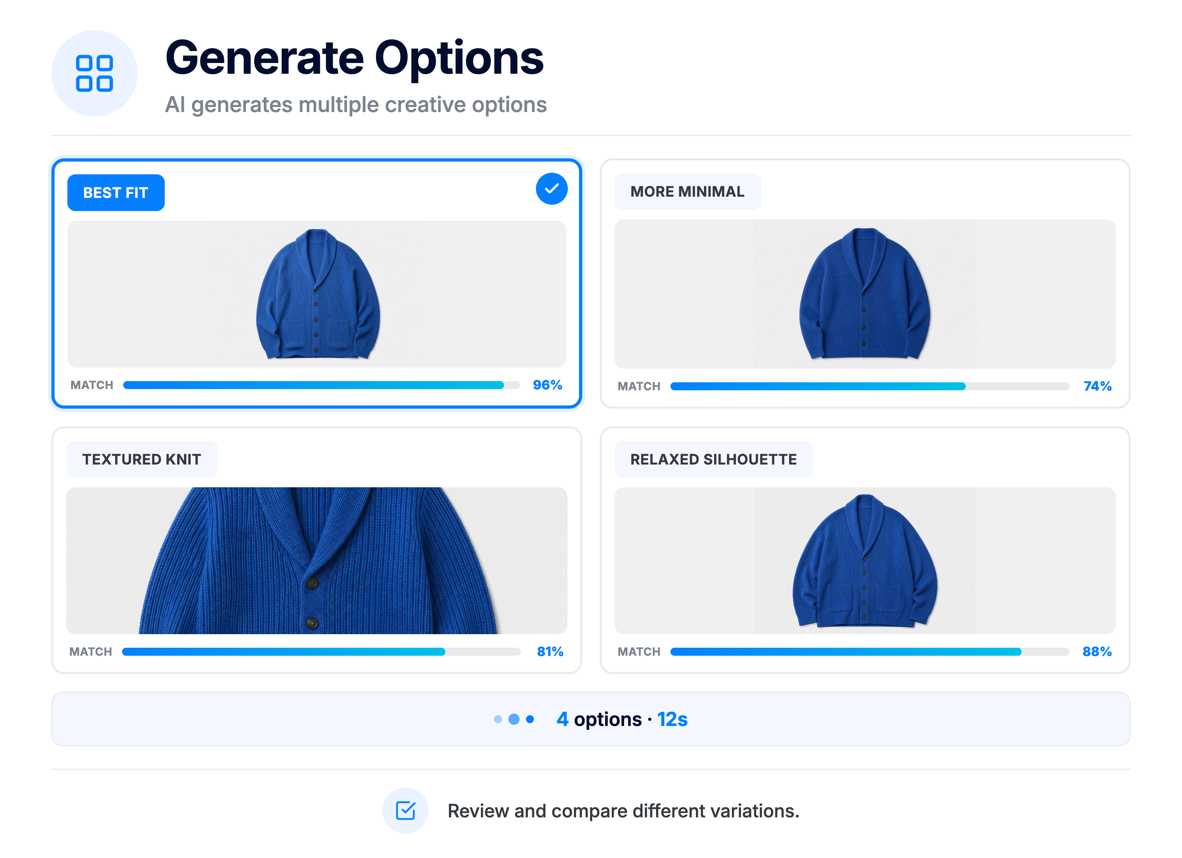
Generate product design variations, compare creative directions, and choose the strongest concept before moving into refinement.
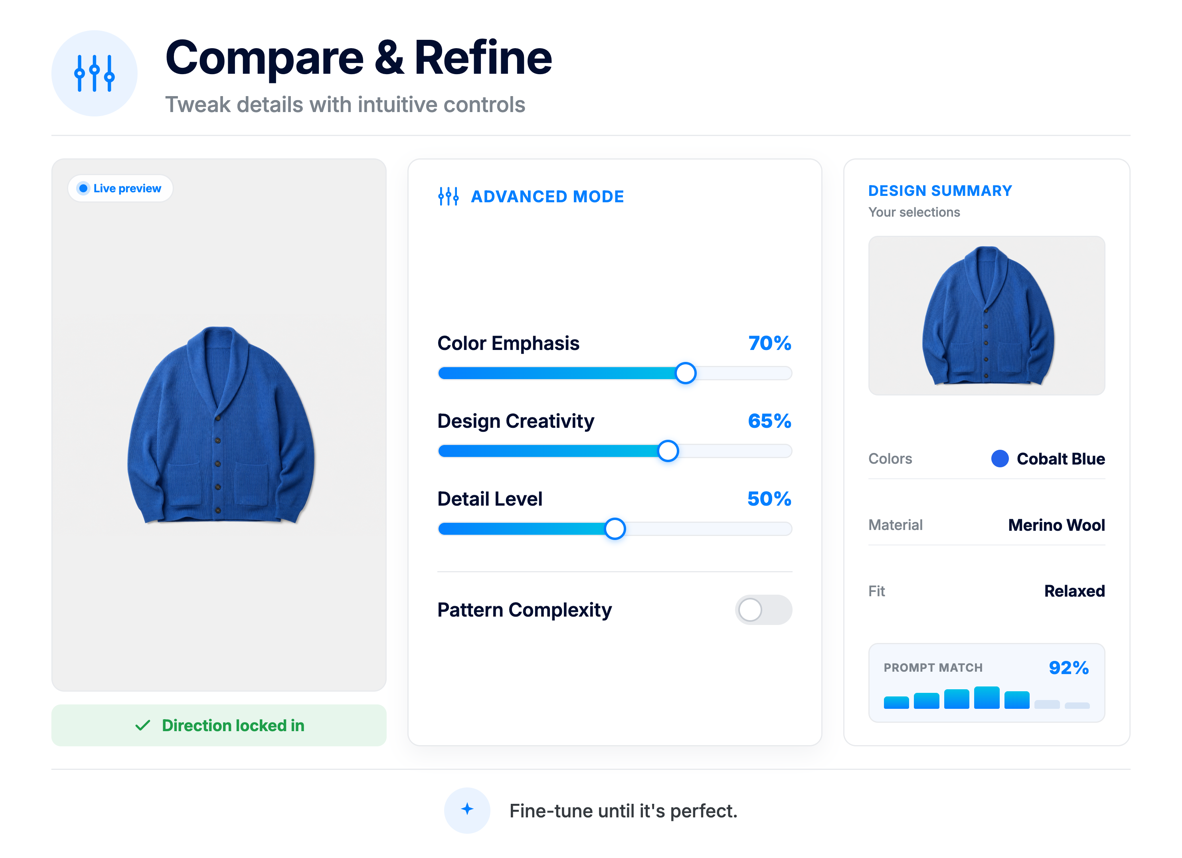
Edit a selected image with specific instructions, such as changing trims, colors, silhouette details, or finishes, then regenerate refinements for review.
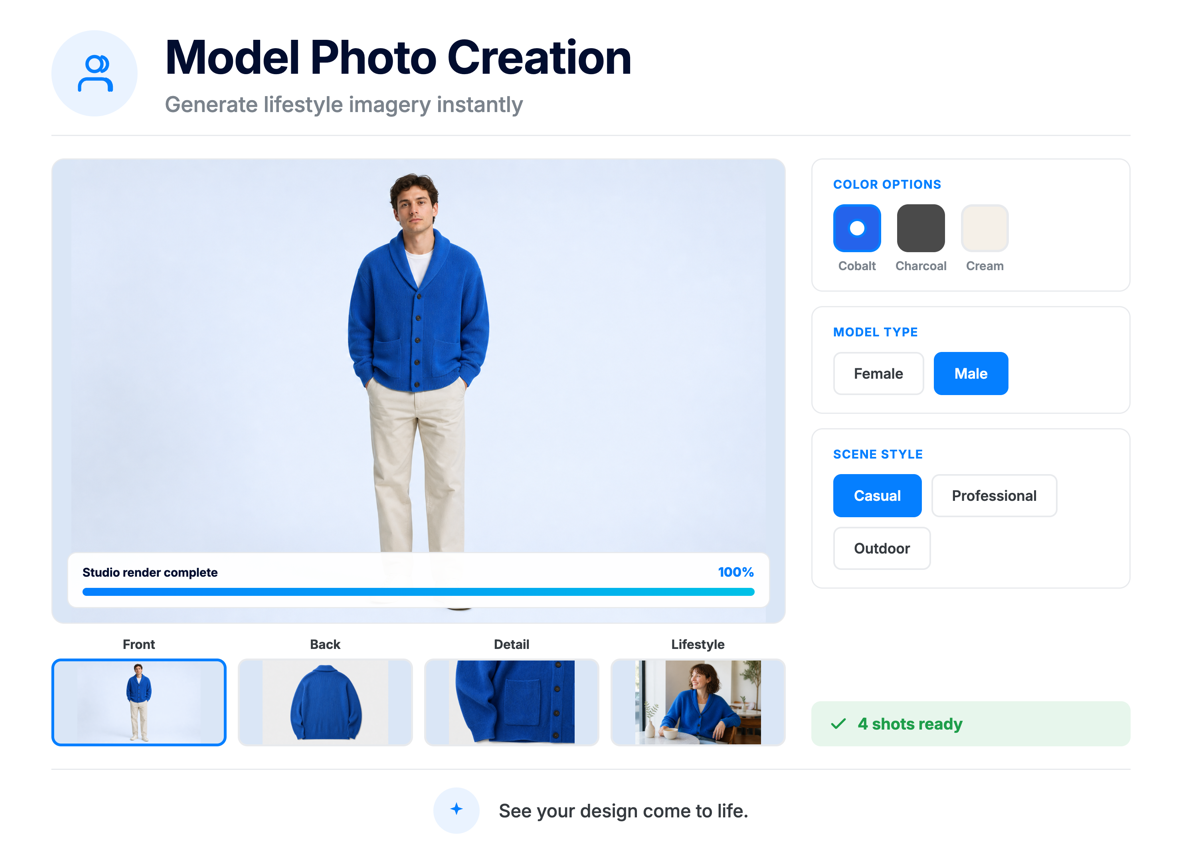
Place selected designs on preset, saved, or custom AI models so your team can evaluate styling, presentation, and brand fit before a shoot or sample.
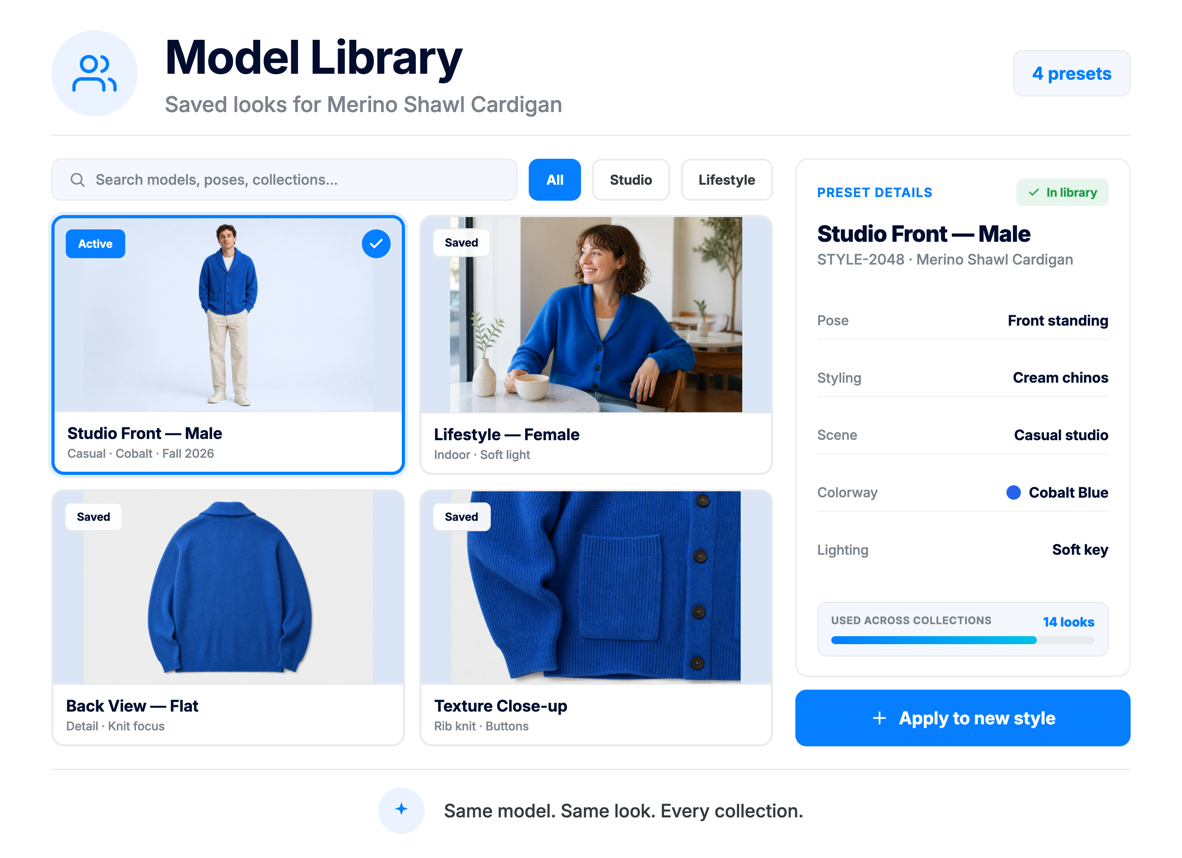
Save model preferences, poses, styling, and settings for reuse across collections, helping product visuals stay consistent from concept to launch.
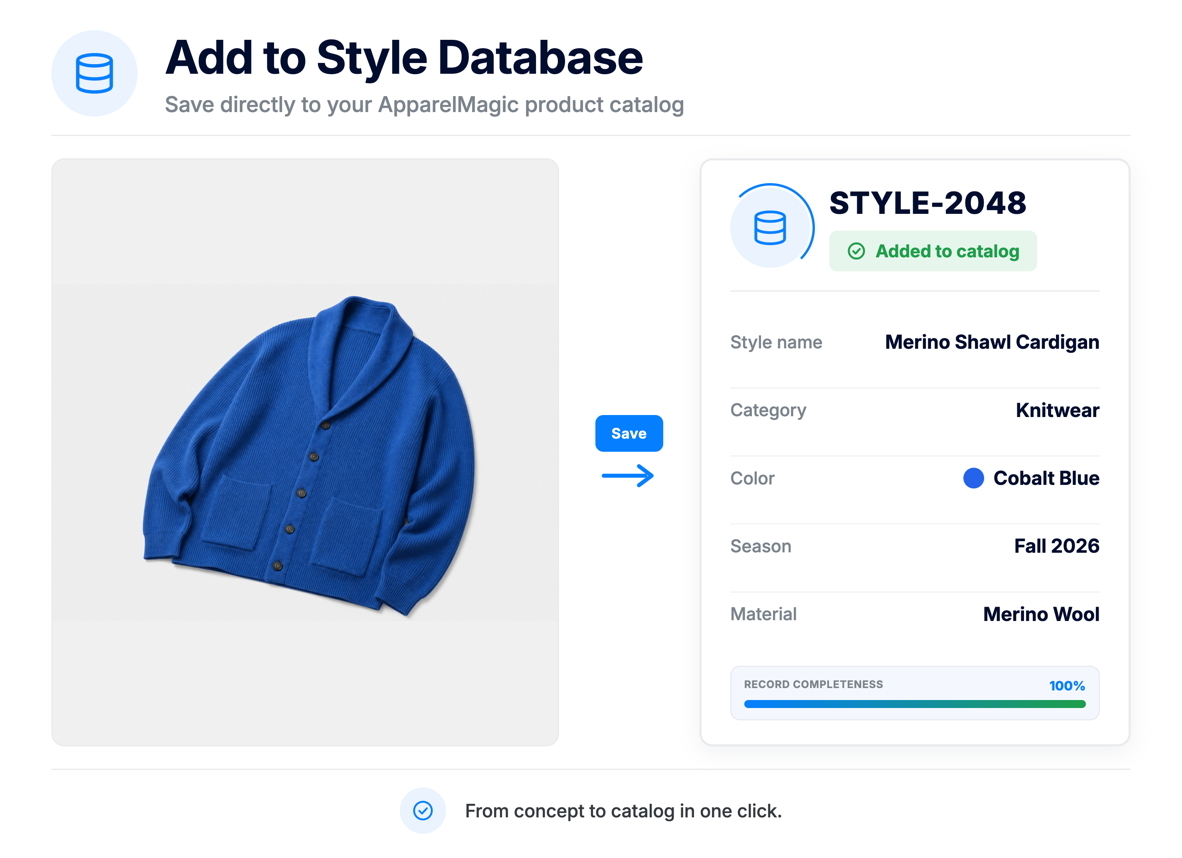
Finalize a design, review draft product details, create a style in your product catalog, or download images for external use.
Start with a design prompt, generate options, refine the visuals, and save the final concept to your catalog.
Generate more concepts in less time, giving design, merchandising, and leadership teams more directions to evaluate before committing resources.
Move from text prompt to product visual quickly, so teams can align on ideas earlier in the development process.
Use AI-generated visuals to narrow concepts before investing in physical samples, photography, or additional design rounds.
Reuse saved models, styling preferences, and refinement prompts to keep visual output aligned with your brand aesthetic.
Turn approved designs into ApparelMagic styles with draft descriptions and product details that help move ideas into your product workflow.
Download product images and draft descriptions that can support line reviews, internal approvals, line sheets, and early go-to-market planning.
Turn ideas into product visuals, refine concepts faster, and create catalog-ready styles directly inside ApparelMagic.
ApparelMagic AI Designer is an AI-powered product visualization tool built directly into ApparelMagic. It helps fashion teams turn ideas into product concepts and visuals while keeping the creative process connected to the product data and workflows already managed in ApparelMagic.
AI Designer can help teams create apparel concepts, product imagery, model visuals, draft product descriptions, and new style records inside ApparelMagic.
Teams can also refine generated designs, place selected concepts on models, and download images for use in presentations, line reviews, lookbooks, or other materials.
ApparelMagic AI Designer is available across all ApparelMagic plans, so teams can access AI-powered product visualization directly within the platform.
AI Designer uses AI credits when generating images, with usage managed through ApparelMagic’s AI settings.
For the latest information on AI Designer access, usage, credits, and pricing, please contact us. If you are a current client, please reach out to ApparelMagic Support. If you are considering ApparelMagic for your business, please contact our team here.
AI credits are used when generating images with AI Designer. Teams can monitor credit usage and manage available AI settings from Settings > AI Settings
Yes. Users can answer guided prompt questions to build a stronger design direction, or use Advanced Mode to enter a more direct prompt with garment, material, fit, color, and detail instructions.
Yes. Once images are generated, users can select a direction, enter specific refinement instructions, and regenerate updated visuals until the design is closer to the intended look.
Yes. AI Designer can place a selected design on preset, saved, or custom AI models. Teams can adjust the model or setting and regenerate images as needed.
Yes. After a design is finalized, users can create a new style in the ApparelMagic product catalog with draft details, including a style number and description. Users can also download generated images when needed.
AI Designer helps teams visualize, compare, and narrow concepts earlier in the product development process. Physical samples, final specs, production approvals, and brand photography may still be needed depending on your workflow.
Each Agent focuses on a different discipline, running scheduled jobs that surface issues and recommend actions.
Monitors stock, fulfillment, and warehouse activity to prevent shortages and keep orders moving.
Tracks customer activity to uncover opportunities, flag risk, and support follow-up at the right time.
Watches margins, invoices, and cost changes to help teams catch financial issues earlier.
Analyzes product performance and seasonality to support better planning and line decisions.