


ApparelMagic Awards 2026
Great work deserves a bigger spotlight
Spin up Custom AI Agents tailored to how your team works, with flexible instructions, permissions, schedules, and automated jobs built around your business.







Spend less time checking records, writing updates, and following up manually, and more time reviewing the results your Custom Agents deliver.
2 hours
15 min
Prepare a weekly sales or operations digest
88% Time Reclaimed
3 hours
20 min
Review compliance, vendor, or data exceptions
89% Time Reclaimed
90 min
10 min
Draft follow-up emails from agent findings
89% Time Reclaimed
Estimated time savings based on common recurring tasks and scheduled workflows. Results may vary by data access, prompt quality, permissions, task complexity, and review process.
Create Custom AI Agents that follow your instructions, run focused jobs, and surface insights across the business data domains of your choice.
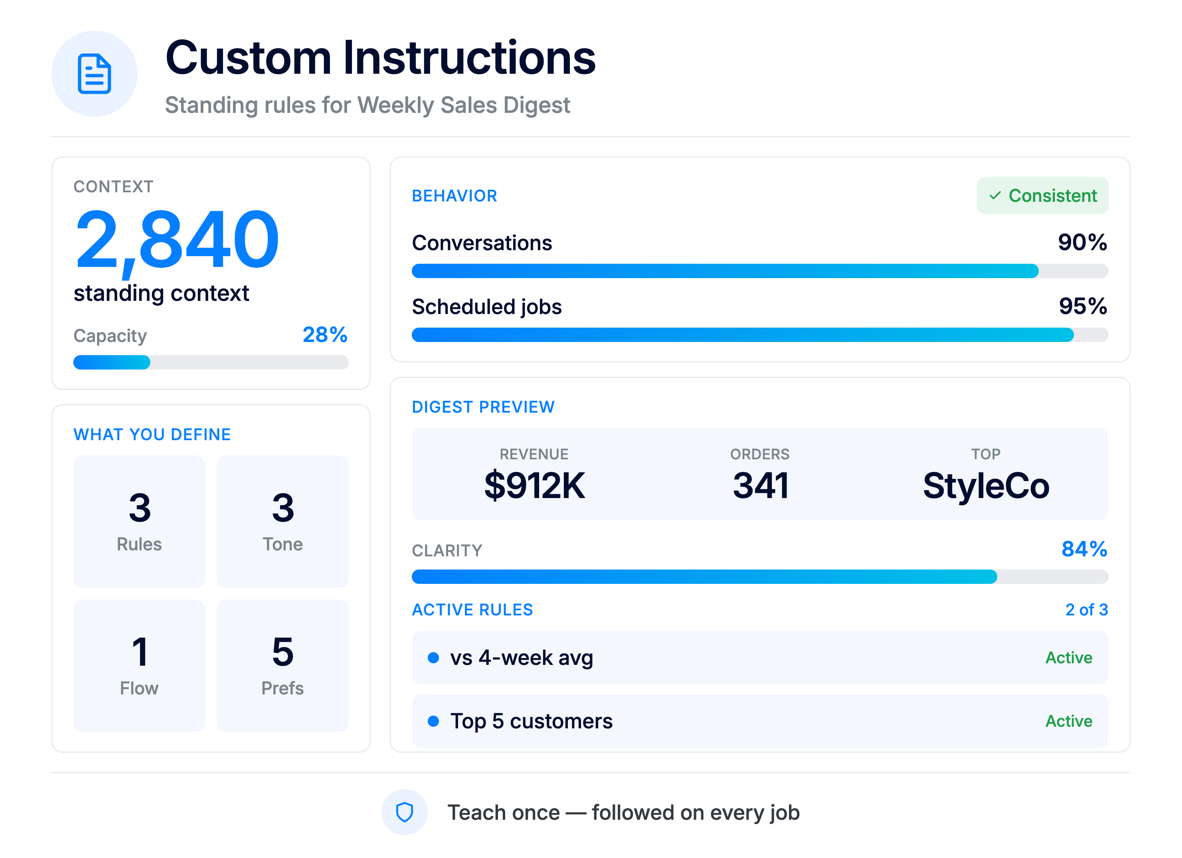
Add up to 10,000 characters of context, rules, tone, and workflow preferences to define parameters and instruct the agent how to behave across conversations and jobs.
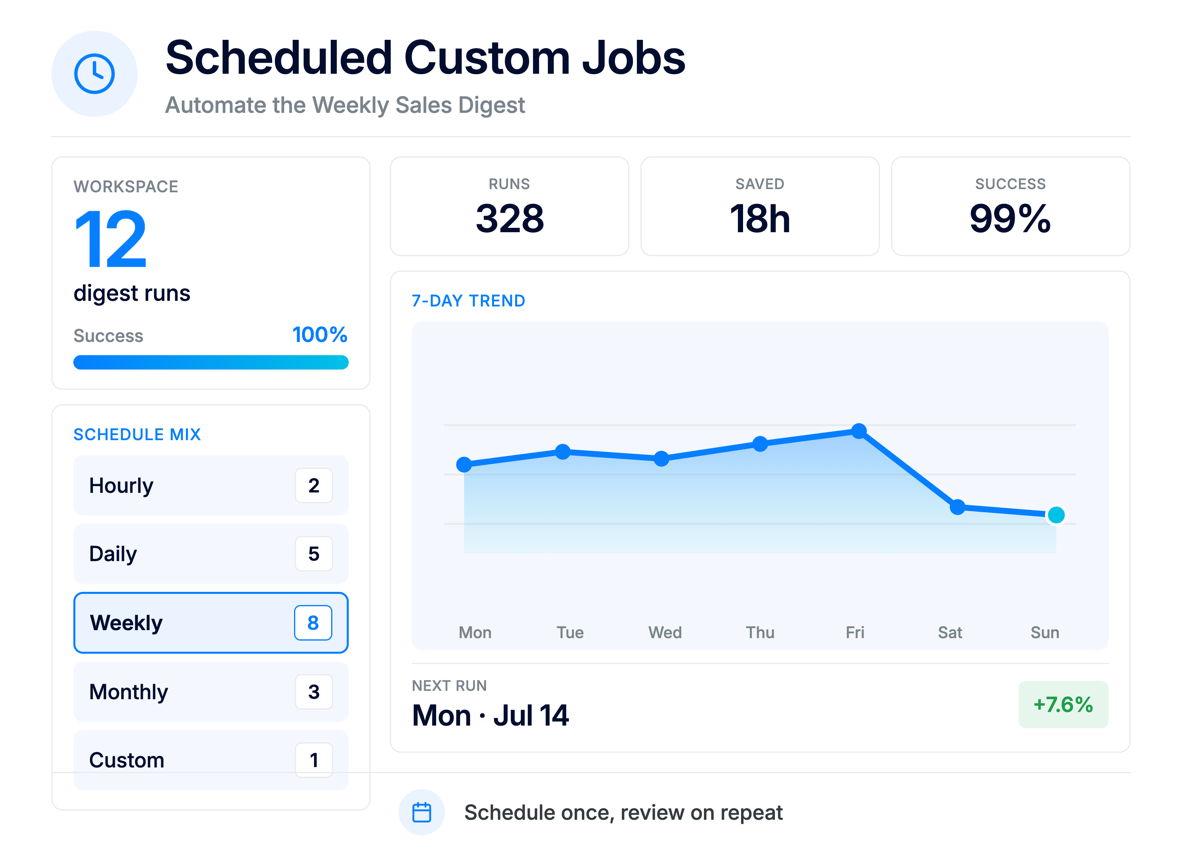
Create hourly, daily, weekly, monthly, or custom-scheduled jobs that review data, summarize findings, and notify the appropriate individuals or teams.
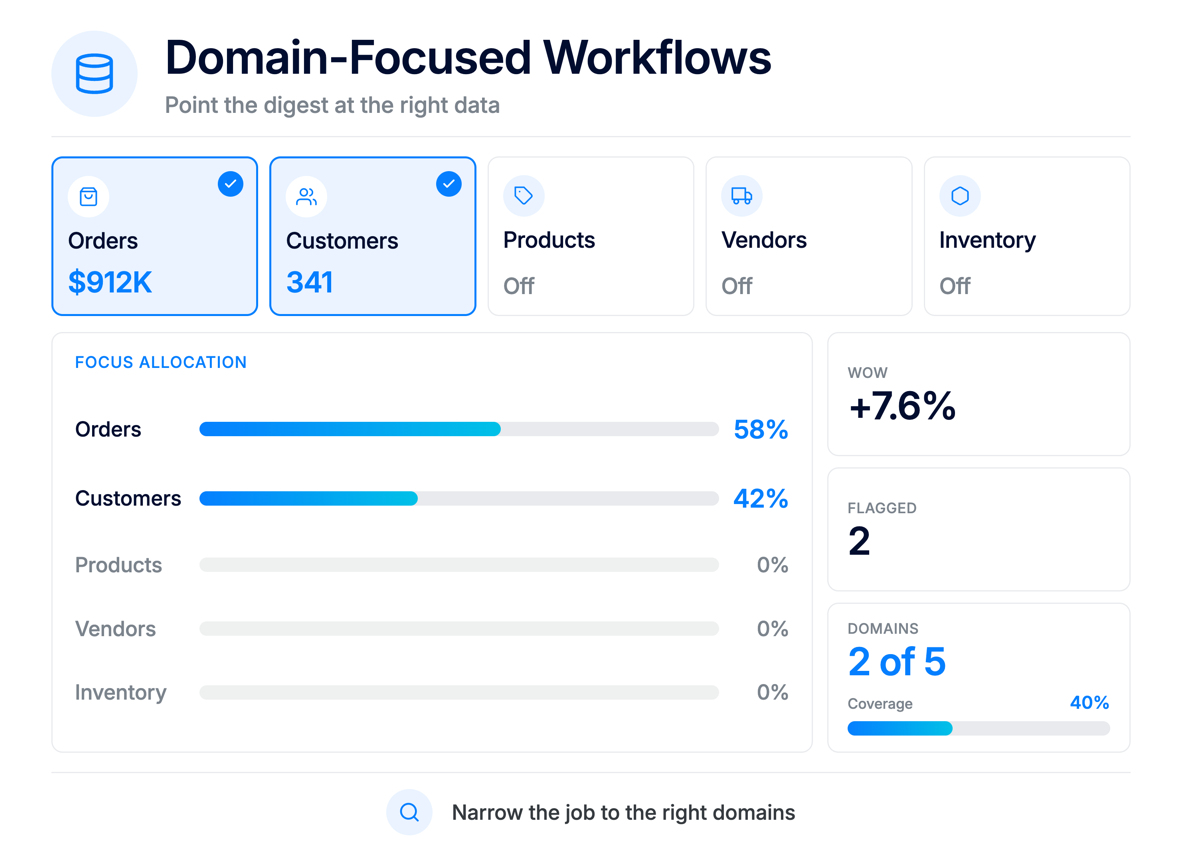
Choose the data areas each job should focus on – such as orders, customers, products, vendors, or other relevant workflows, and let the Agent do the work to track, parse, analyze, synthesize, compile, summarize, and report.
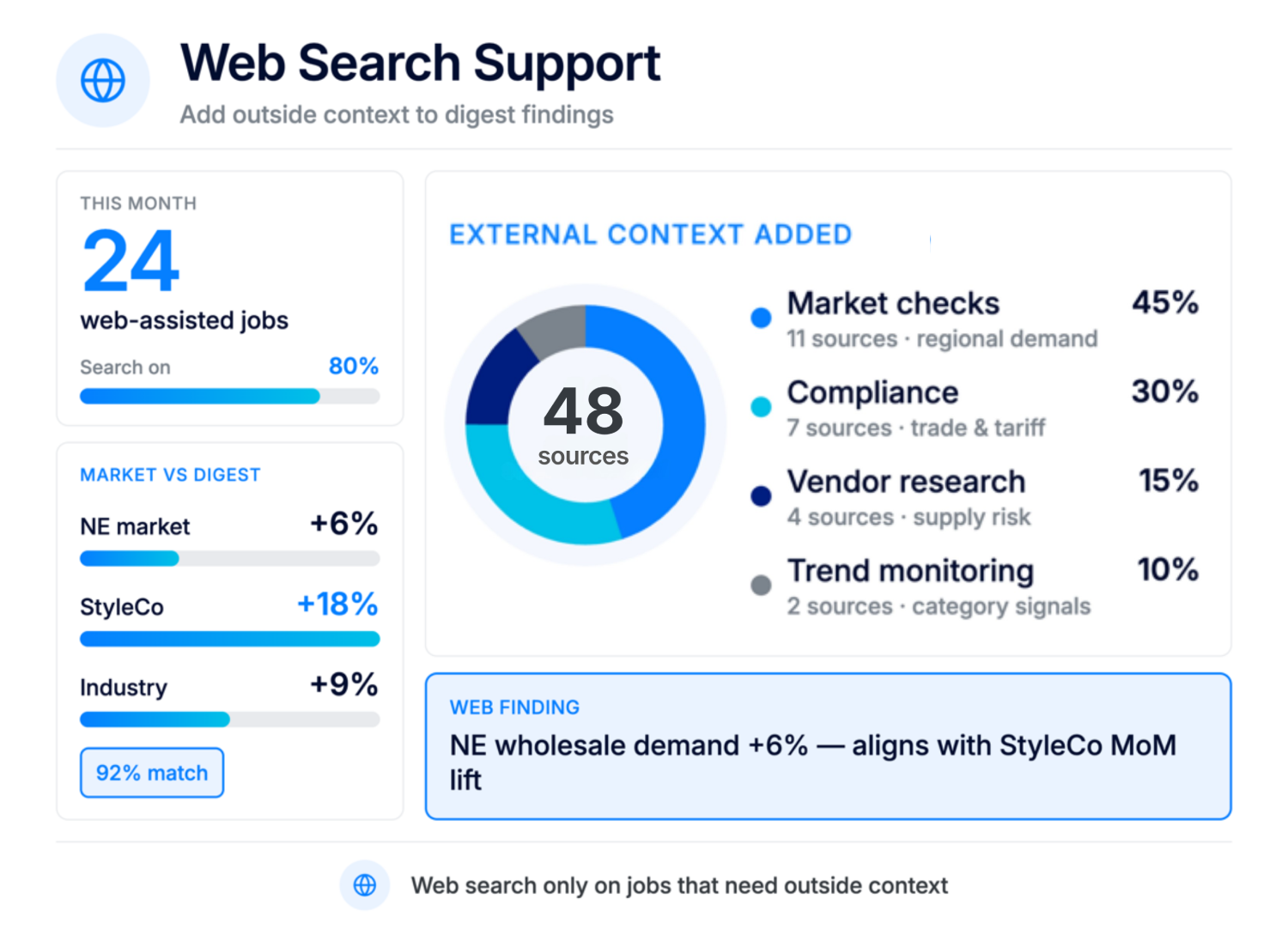
Allow agents to search the web when a workflow needs external information, such as compliance details, market updates, vendor context, or industry research.
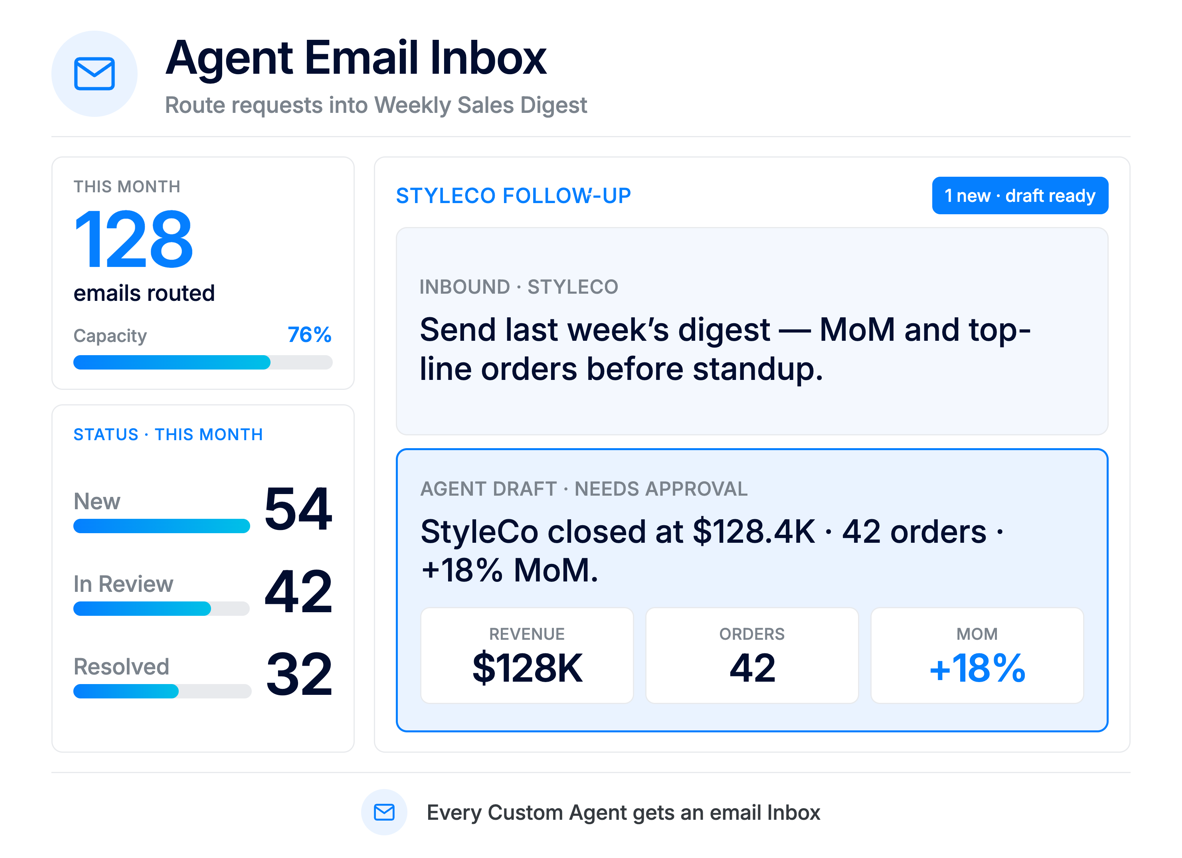
Use the agent’s dedicated email address to receive inbound messages and convert them into conversations in the Inbox.
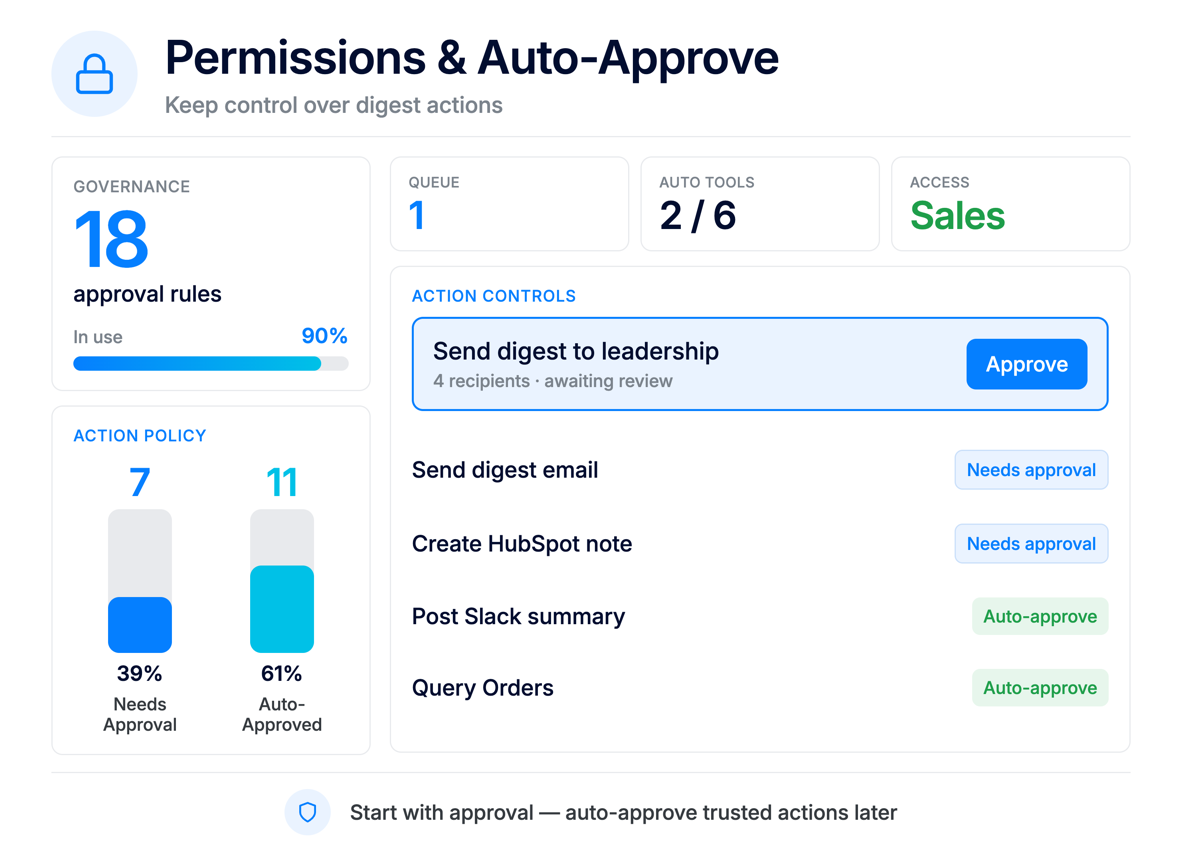
Tie access to user groups, and decide which actions need approval versus which can be auto-approved for background execution.
No code, no complex setup. Simply create the Agents and jobs that match the way your team works.
Build Agents around the unique workflows your team repeats weekly or daily instead of waiting for a built-in template.
Give Agents standing instructions so recurring checks, summaries, and drafts follow the same rules every time.
Draft vendor, customer, or internal follow-up emails based on job results, then review before sending.
Support sales, operations, finance, compliance, sourcing, and leadership with Agents tailored to each team’s needs.
Use User Groups to limit what each custom Agent can see, query, and act on inside ApparelMagic.
Start with approval required, then selectively auto-approve trusted actions as your team gains confidence.
Custom Agents can notify the appropriate people when a job is complete, so teams can review results without manually checking for updates.
Posts directly to a channel of your choice so your team sees alerts where they already work.
Sends alerts to specified recipients – great for stakeholders who might not be daily Slack users.
Notification badge inside ApparelMagic for selected users or admins.
Create Custom Agents around the way your team works, with flexible instructions, permissions, and schedules.
ApparelMagic Custom AI Agents are AI-powered assistants your team can create inside ApparelMagic for workflows specific to your business. They use your instructions, selected data, schedules, and permissions to monitor work, surface important information, and support recurring tasks automatically.
Custom AI Agents help teams automate recurring workflows that are specific to their business processes.
They can review ApparelMagic data, monitor conditions, summarize findings, draft follow-ups, send notifications, use approved external information, and support actions based on the instructions, permissions, and schedules your team defines.
Custom AI Agents are supported across all ApparelMagic plans when ApparelMagic Intelligence is enabled for the account.
In ApparelMagic, go to Home > AI Agents and click New Custom Agent. Enter an Agent Name, select the User Group that defines the agent’s access permissions, and create the agent.
Once created, you can configure its instructions, jobs, schedules, notification settings, and other available capabilities.
Built-in AI Agents are preconfigured for common areas such as Inventory, Sales, Finance, and Product Dev. Custom AI Agents give your team more flexibility to define the agent’s instructions, jobs, schedules, permissions, and focus areas around your own workflows.
You can customize the agent’s standing instructions, job prompts, schedules, data domains, web search access, notification channels, and approval settings.
Instructions and job prompts can be written in natural language, allowing teams to configure workflows much like giving directions to a team member.
Yes. Custom AI Agent jobs can run automatically based on the schedule your team defines, including hourly, daily, weekly, monthly, or custom schedules.
Jobs can also be tested or run manually before a recurring schedule is enabled.
Yes. Web search can be enabled for jobs that need outside context, such as market checks, vendor research, compliance monitoring, or other workflows where external information is useful.
A Custom Agent’s access is controlled by its assigned User Group. The agent can only query and act on data that the selected User Group has permission to access, so you can align each agent with the right scope of work.
By default, Custom AI Agents require approval before actions like creating records, sending emails, or modifying data. Teams can configure auto-approval settings for selected tool groups, individual tools, or specific API actions when appropriate.
Yes. Each Custom AI Agent gets a dedicated email address. Messages sent to that address are processed by the agent and appear as conversations in the Inbox, which can support vendor, customer, or internal workflows.
Custom AI Agents can send notifications through Slack, email, and in-app alerts inside ApparelMagic. Each job can be configured with the notification channels and recipients that fit your workflow.
Each Agent focuses on a different discipline, running scheduled jobs that surface issues and recommend actions.
Monitors stock, fulfillment, and warehouse activity to prevent shortages and keep orders moving.
Tracks customer activity to uncover opportunities, flag risk, and support follow-up at the right time.
Watches margins, invoices, and cost changes to help teams catch financial issues earlier.
Analyzes product performance and seasonality to support better planning and line decisions.