


ApparelMagic Awards 2026
Great work deserves a bigger spotlight
Bring sharper focus to customer and account activity, helping your team recognize risks, prioritize outreach, and act on the opportunities that matter most.







Spend less time manually reviewing customer activity and more time engaging the accounts, opportunities, and relationships that need attention.
3 hours
25 min
Identify customers with declining order activity
86% Time Reclaimed
90 min
15 min
Find inactive accounts ready for outreach
83% Time Reclaimed
4 hours
45 min
Review customer records for missing or incomplete details
81% Time Reclaimed
Estimated time savings based on common manual sales and account management workflows. Actual results may vary by customer count, order history, and CRM data quality.
Monitor the sales workflows that matter most – from customer activity to account health – with AI Agents that surface risks before revenue slips.
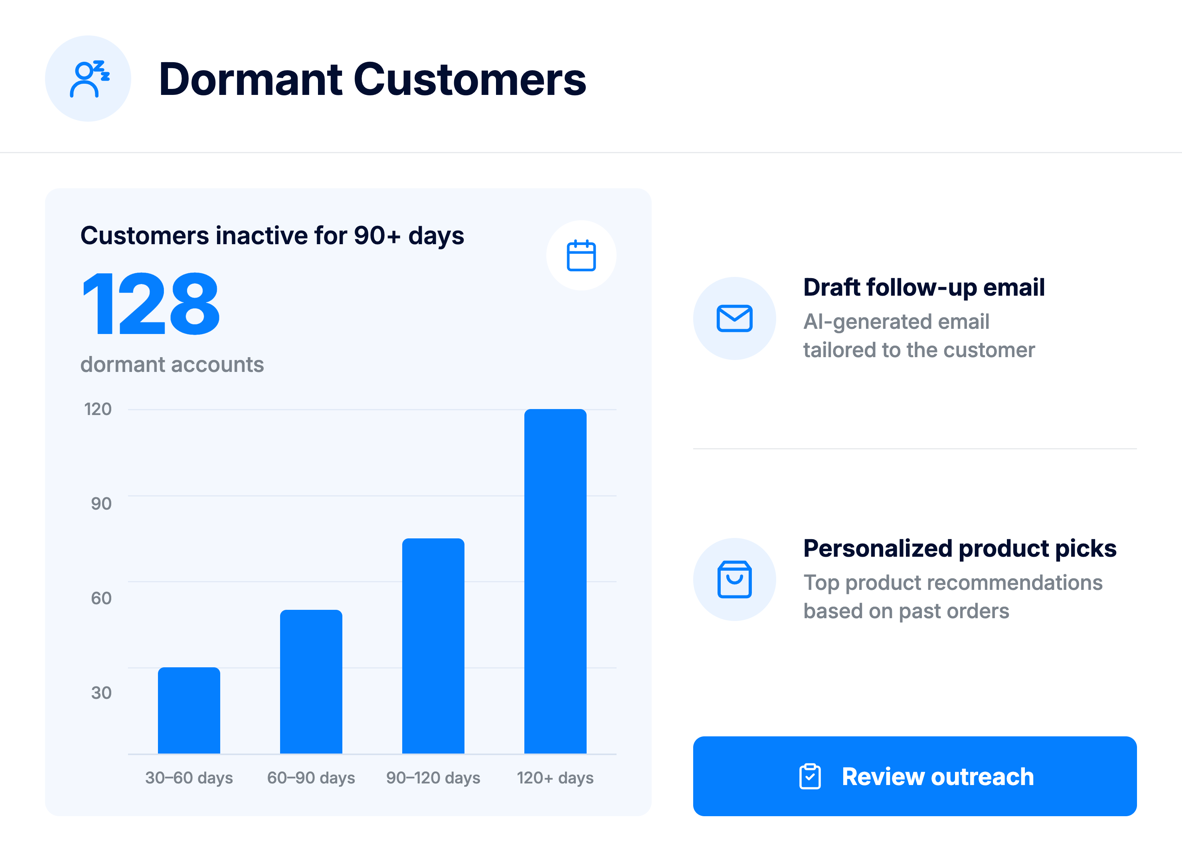
Find customers who have not placed an order in a while and draft personalized re-engagement emails with relevant product recommendations based on their order history.
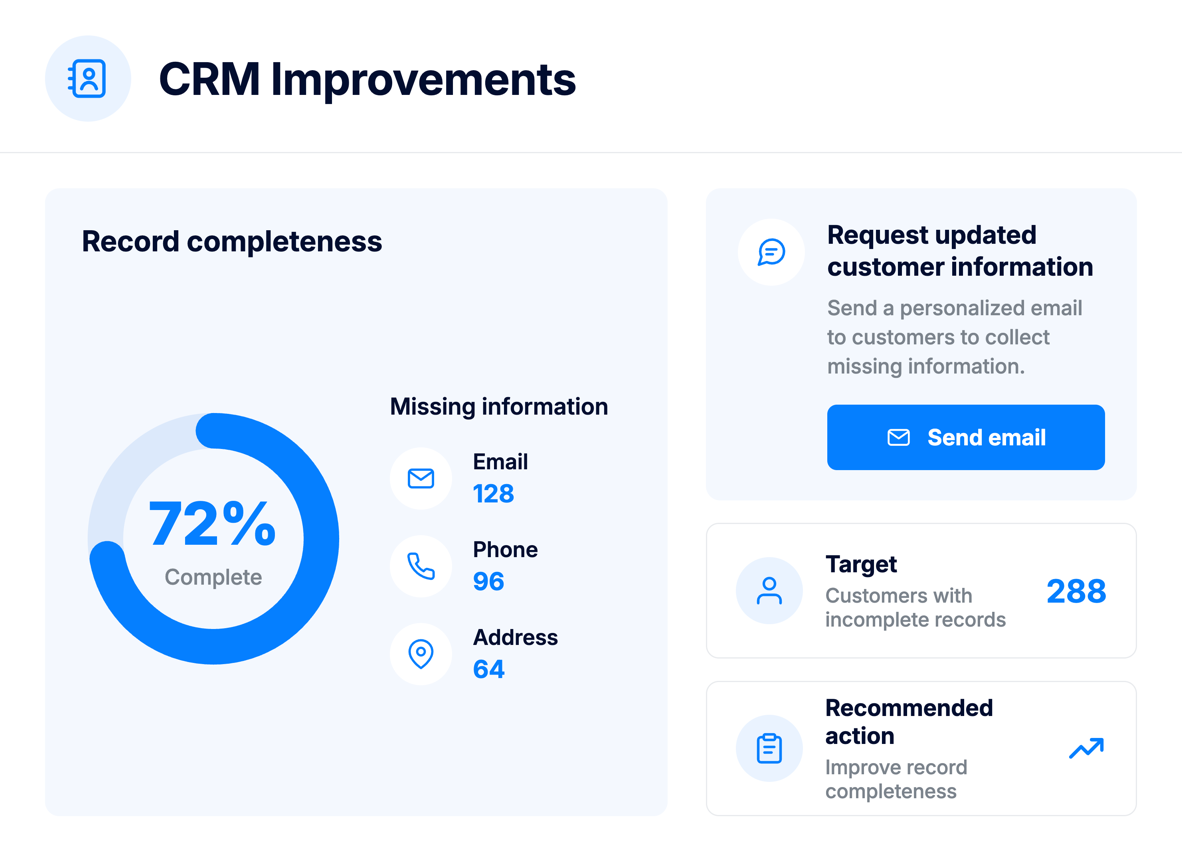
Scan customer, ship-to, and contact records for missing or incomplete information. The agent can draft polite update-request emails so your team can keep CRM data accurate.
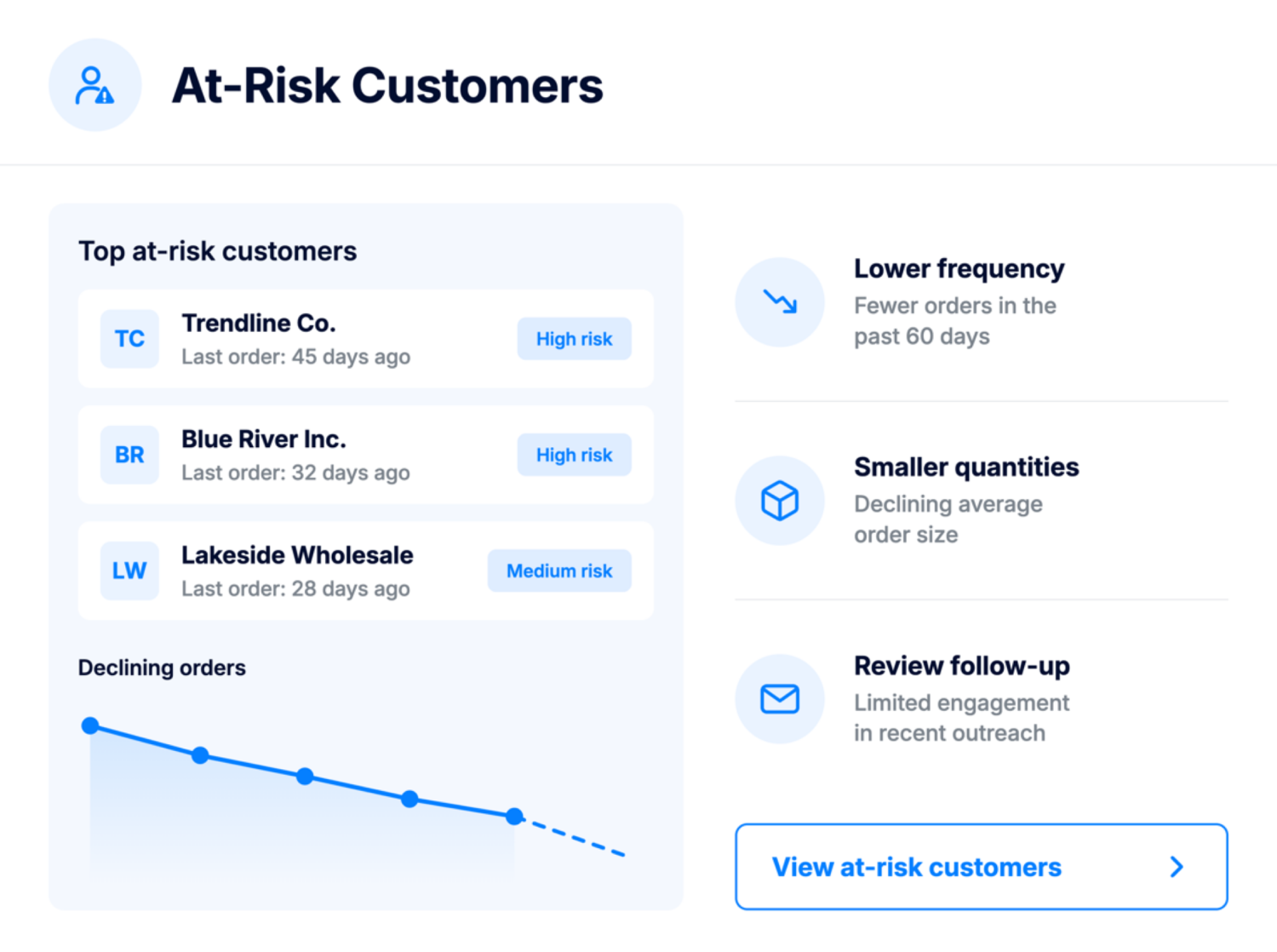
Identify customers whose order frequency or order volume is trending down. Sales teams can reach out before the account becomes fully dormant.
No code, no complex setup. Simply enable the jobs
that matter most to your business.
Find inactive customers and review personalized outreach drafts before sending, so valuable accounts do not fall through the cracks.
Spot declining order patterns early and give your sales team time to follow up before engagement drops further.
Identify missing or incomplete customer, ship-to, and contact details that can affect communication, shipping accuracy, and reporting.
Review AI-drafted emails for re-engagement, CRM updates, and other customer follow-ups instead of starting every message from scratch.
Replace manual customer checks with scheduled AI monitoring that surfaces accounts needing attention.
Give sales teams a clearer view of which customers need follow-up, which records need attention, and where action may protect future revenue.
Every job can alert you through the channels your team already uses.
Posts directly to a channel of your choice so your team sees alerts where they already work.
Sends alerts to specified recipients – great for stakeholders who might not be daily Slack users.
Notification badge inside ApparelMagic for selected users or all admins.
Spot dormant customers, improve CRM data, and flag at-risk accounts earlier, so your team can follow up more effectively.
The ApparelMagic Sales AI Agent is an AI-powered assistant designed to monitor customer and sales activity inside ApparelMagic. It continuously reviews the sales and CRM conditions your team chooses to track and brings important customer trends and opportunities forward automatically.
The Sales AI Agent helps teams spend less time manually reviewing customer activity by monitoring recurring sales and CRM workflows and surfacing accounts that may need attention.
It can help identify dormant customers, declining accounts, incomplete CRM records, and other relationship trends, while also preparing personalized follow-up communications for your team to review.
The Sales AI Agent is supported across all ApparelMagic plans when ApparelMagic Intelligence is enabled for the account.
The Sales AI Agent is available through the ApparelMagic Intelligence add-on. It is not included with the standard ApparelMagic license and is offered at a flat price, with the rate varying based on your plan and billing terms.
Inside ApparelMagic, go to Home > AI Agents and select the Sales AI Agent. From there, you can enable the jobs you need, adjust schedules, review results, and manage where notifications and drafted communications are sent.
Yes. The Sales AI Agent can identify customers who have not placed an order within a defined period and draft personalized re-engagement emails with relevant product recommendations.
The Sales AI Agent analyzes customer order patterns and flags accounts with declining order frequency or lower order volume. This gives your sales team an early signal before the customer becomes fully dormant.
The Sales AI Agent works with the data available to the user inside ApparelMagic and uses it to support the jobs your team enables. Access remains tied to ApparelMagic permissions, while your team controls which jobs run, when they run, and which drafted outputs are reviewed before action is taken.
Yes. The Sales AI Agent runs scheduled jobs based on the settings your team enables. Users can also run jobs manually when they need immediate results.
The Sales AI Agent can send notifications through Slack, email, and in-app alerts inside ApparelMagic. Each job can be configured with the notification channels and recipients that fit your workflow.
Each Agent focuses on a different area, running scheduled jobs that surface issues and recommend actions.
Monitors stock, fulfillment, and warehouse activity to prevent shortages and keep orders moving.
Watches margins, invoices, and cost changes to help teams catch financial issues earlier.
Analyzes product performance and seasonality to support better planning and line decisions.