


ApparelMagic Awards 2026
Great work deserves a bigger spotlight
Give your team a better, more intelligent way to monitor stock, identify risks earlier, and keep orders, warehouses, and fulfillment running smoothly.







Spend less time parsing through inventory data and more time acting on what needs attention.
90 min
15 min
Review backorders grouped by SKU
83% Time Reclaimed
3 hours
20 min
Balance inventory across warehouses
89% Time Reclaimed
6 hours
30 min
Create replenishment PO proposals
92% Time Reclaimed
Estimated time savings based on common manual inventory workflows. Actual results may vary by order volume, team size, and warehouse setup.
Monitor your inventory workflows that matter most – from rush orders to replenishment – with AI Agents that surface risks before they hit fulfillment.
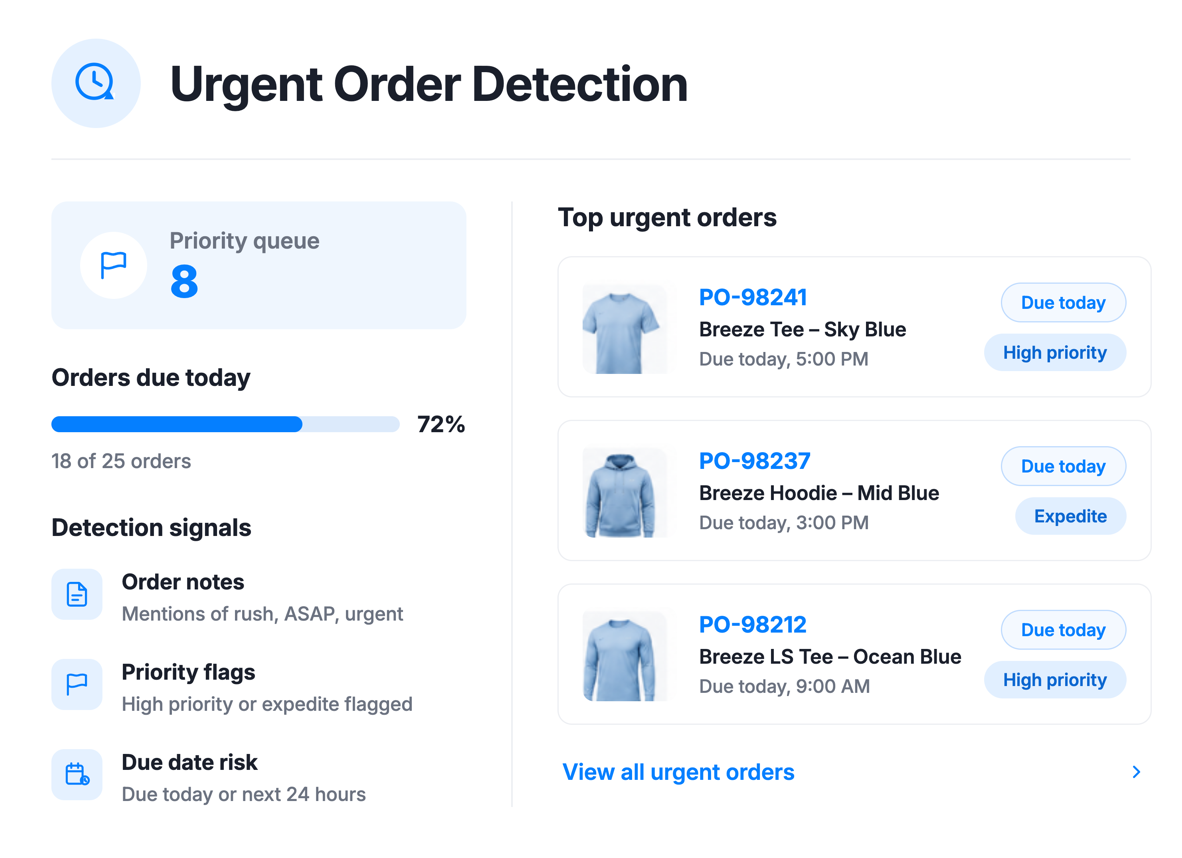
Scan recent orders for urgency signals – priority flags and keywords like “urgent,” “rush,” or “ASAP.” Rush orders get surfaced instantly so your warehouse can reprioritize.
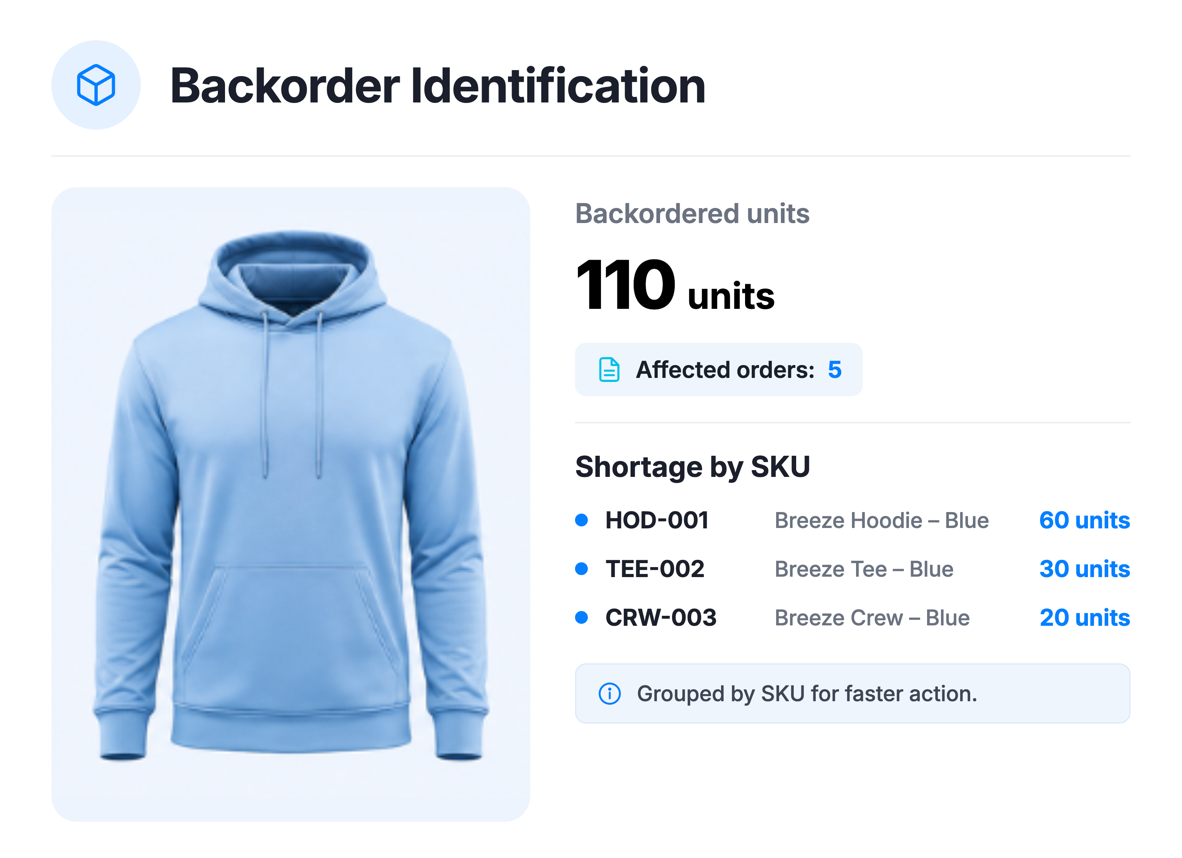
Find line items where required quantity exceeds stock, grouped by SKU. Get a consolidated shortage view instead of checking order by order.
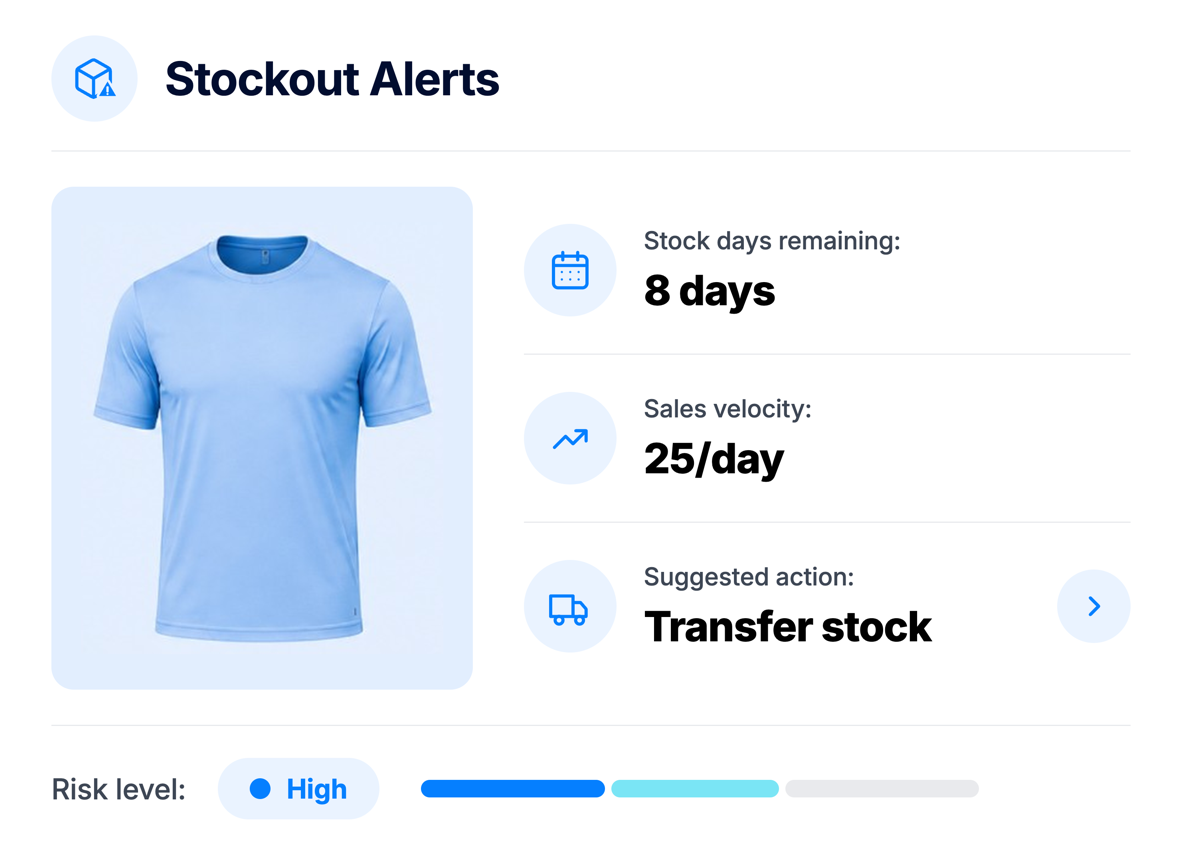
Analyze sales velocity against current stock to flag at-risk items. When one warehouse is low but another has excess, recommend a transfer automatically.
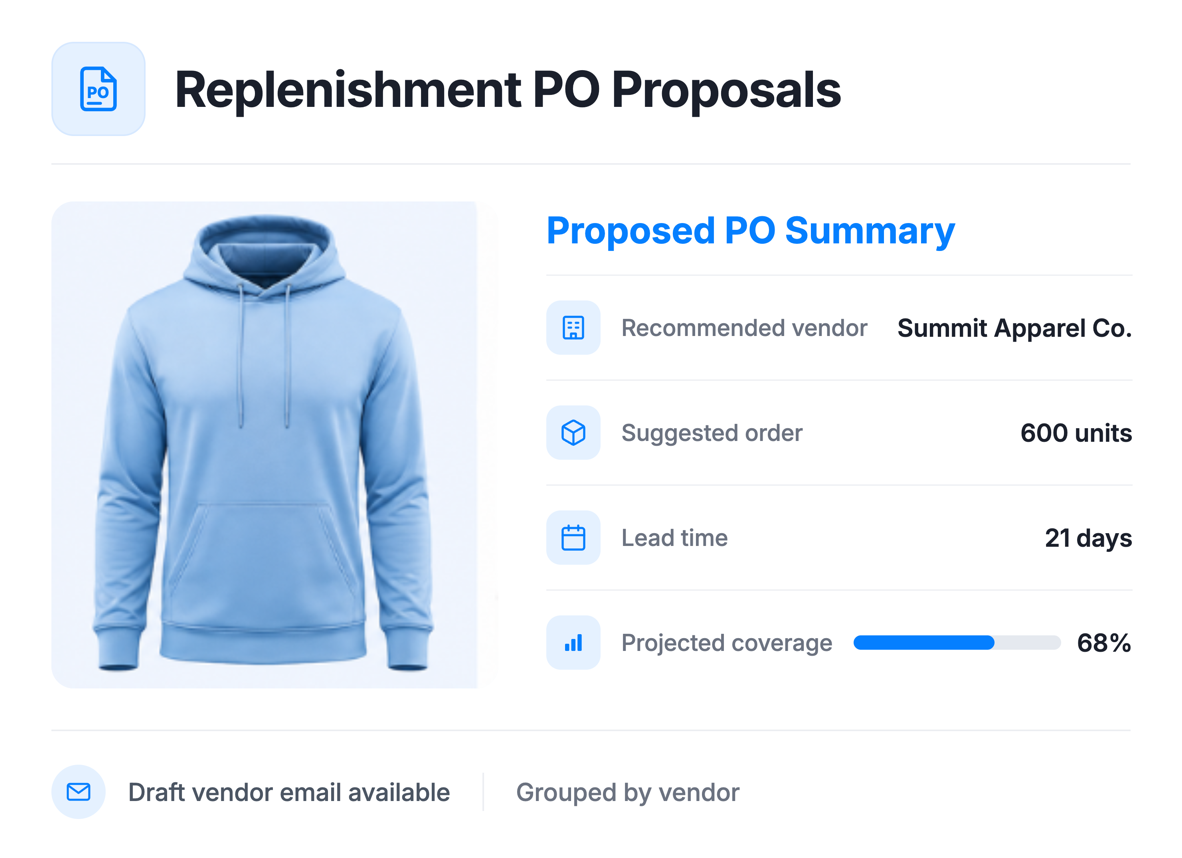
Evaluates stock levels, sales velocity, and lead times to propose purchase orders grouped by vendor.

Scan all warehouses for uneven stock distribution and recommend transfer quantities based on each location’s demand patterns.
No code, no complex setup. Simply enable the jobs that matter most to your business.
Get alerted before a best-seller runs out - not after customers start complaining.
Automatically balance inventory across locations based on local demand patterns.
Receive vendor-ready PO proposals with budget considerations. Review and approve instead of building from scratch.
Surface priority, rush, and urgent orders instantly so your warehouse team never misses a deadline.
Replace daily stock-level spreadsheets with automated, scheduled intelligence that runs while you sleep.
Identify shortages by SKU before they delay open orders, so your team can allocate stock or replenish faster.
Every job can alert you through the channels your team already uses.
Posts directly to a channel of your choice so your team sees alerts where they already work.
Sends alerts to specified recipients – great for stakeholders who might not be daily Slack users.
Notification badge inside ApparelMagic for selected users or all admins.
Spot risks earlier, flag what needs attention, and keep inventory moving – before problems slow the team down.
The ApparelMagic Inventory AI Agent is an AI-powered assistant designed to monitor inventory operations inside ApparelMagic. It continuously reviews the inventory conditions your team chooses to track and brings important risks and opportunities forward automatically.
The Inventory AI Agent helps teams spend less time manually reviewing inventory conditions by monitoring recurring workflows and surfacing issues that may need attention.
It can help identify stockout risks, backorders, urgent orders, warehouse imbalances, and replenishment opportunities, while also preparing recommendations that help teams decide what to do next.
The Inventory AI Agent is supported across all ApparelMagic plans when ApparelMagic Intelligence is enabled for the account.
The Inventory AI Agent is available through the ApparelMagic Intelligence add-on. It is not included with the standard ApparelMagic license and is offered at a flat price, with the rate varying based on your plan and billing terms.
Inside ApparelMagic, go to Home > AI Agents and select the Inventory AI Agent. From there, you can enable the jobs you need, adjust schedules, and choose where notifications should be sent.
The Inventory AI Agent reviews sales velocity, available stock, and days of coverage to identify products at risk of running out. When possible, it also recommends warehouse transfers or replenishment actions to keep inventory moving.
The Inventory AI Agent can monitor urgent orders, backorders, stockout risks, warehouse balance, and replenishment purchase order opportunities. Each job focuses on a specific inventory workflow and can be enabled based on your team’s needs.
Yes. The Inventory AI Agent reviews inventory across warehouses to find stock imbalances. If one location is running low while another has excess stock, it can recommend transfers to better support demand.
Yes. The Inventory AI Agent runs scheduled jobs based on the settings your team enables. Users can also run jobs manually or ask ad-hoc inventory questions directly through the agent.
The Inventory AI Agent can send notifications through Slack, email, and in-app alerts inside ApparelMagic. Each job can be configured with the notification channels and recipients that fit your workflow.
By default, the Inventory AI Agent surfaces recommendations for review before taking action. With the right permission settings and auto-approval rules, approved actions like creating purchase orders can be completed autonomously.
Each agent focuses on a different area, running scheduled jobs that surface issues and recommend actions.
Tracks customer activity to uncover opportunities, flag risk, and support follow-up at the right time.
Watches margins, invoices, and cost changes to help teams catch financial issues earlier.
Analyzes product performance and seasonality to support better planning and line decisions.