


ApparelMagic Awards 2026
Great work deserves a bigger spotlight
Ask Copilot to find information, create reports, update records, draft emails, and guide you through everyday work in ApparelMagic.







Spend less time navigating menus, building reports, and looking up answers – and more time acting on what Copilot helps you find.
20 min
2 min
Find an answer or system guidance
90% Time Reclaimed
90 min
10 min
Build a report from business questions
89% Time Reclaimed
30 min
3 min
Run common record actions by chat
90% Time Reclaimed
Estimated time savings based on common manual tasks for support, reporting, and record updates. Actual results may vary by structure, permissions, task complexity, and process.
Copilot brings data, system guidance, and task support into one place, helping fashion teams move from request to next step without switching tools.
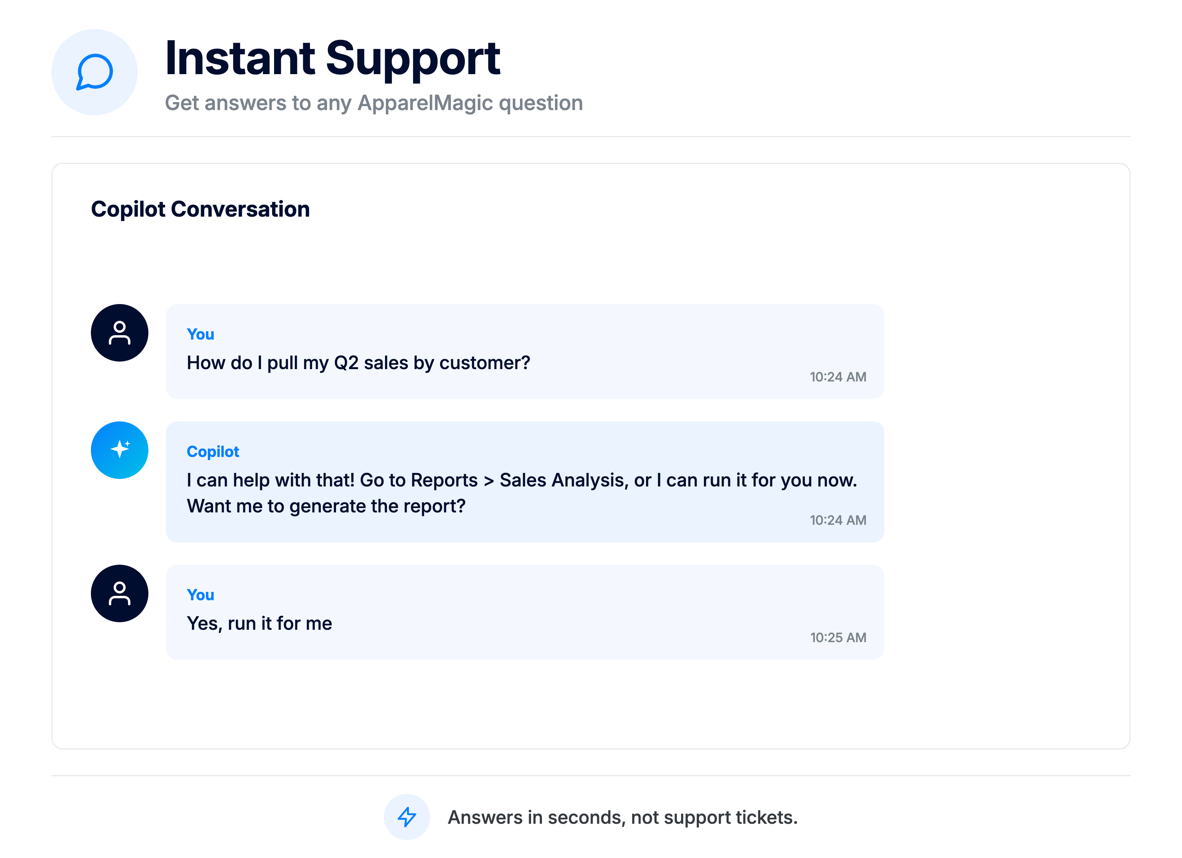
Ask for help while you are inside ApparelMagic. Copilot provides context-aware guidance and can explain workflows, fields, and next steps without sending your team to separate resources.
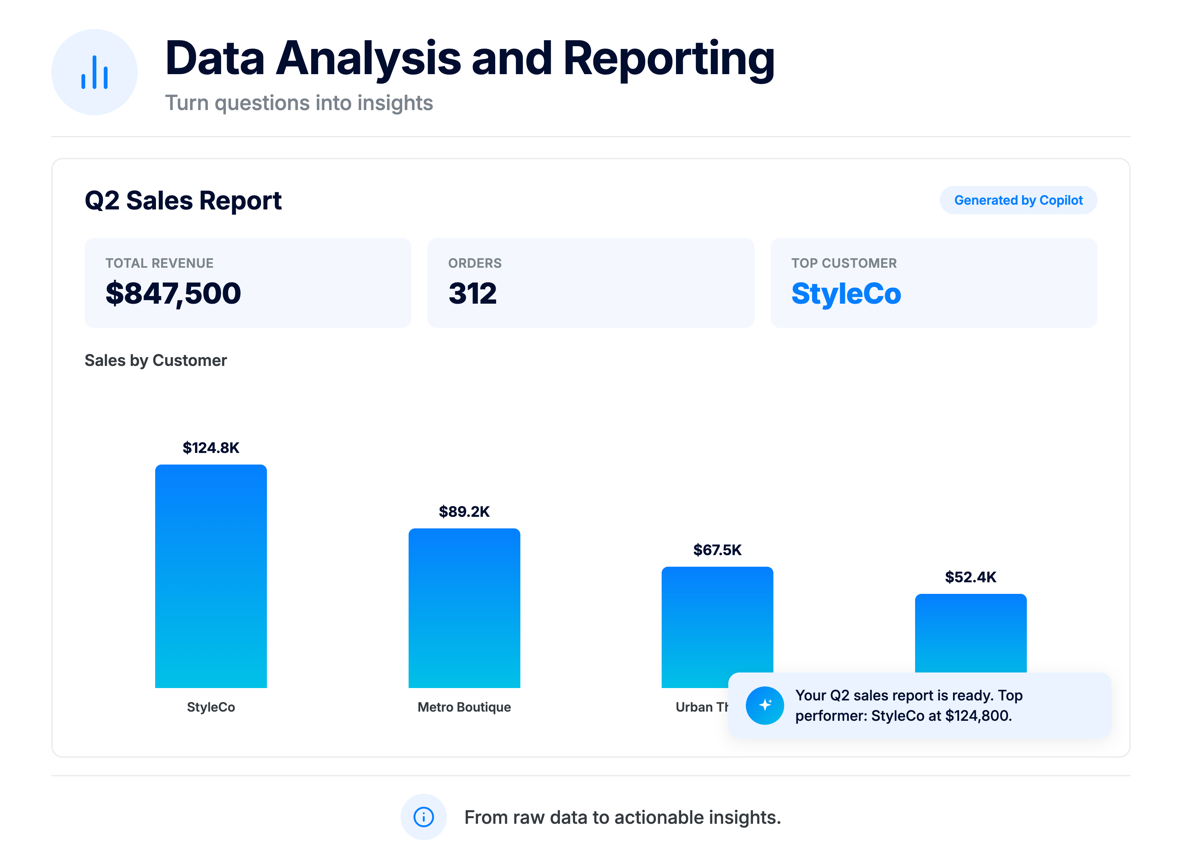
Ask business questions in plain language and receive structured answers, tables, charts, and report-ready outputs.
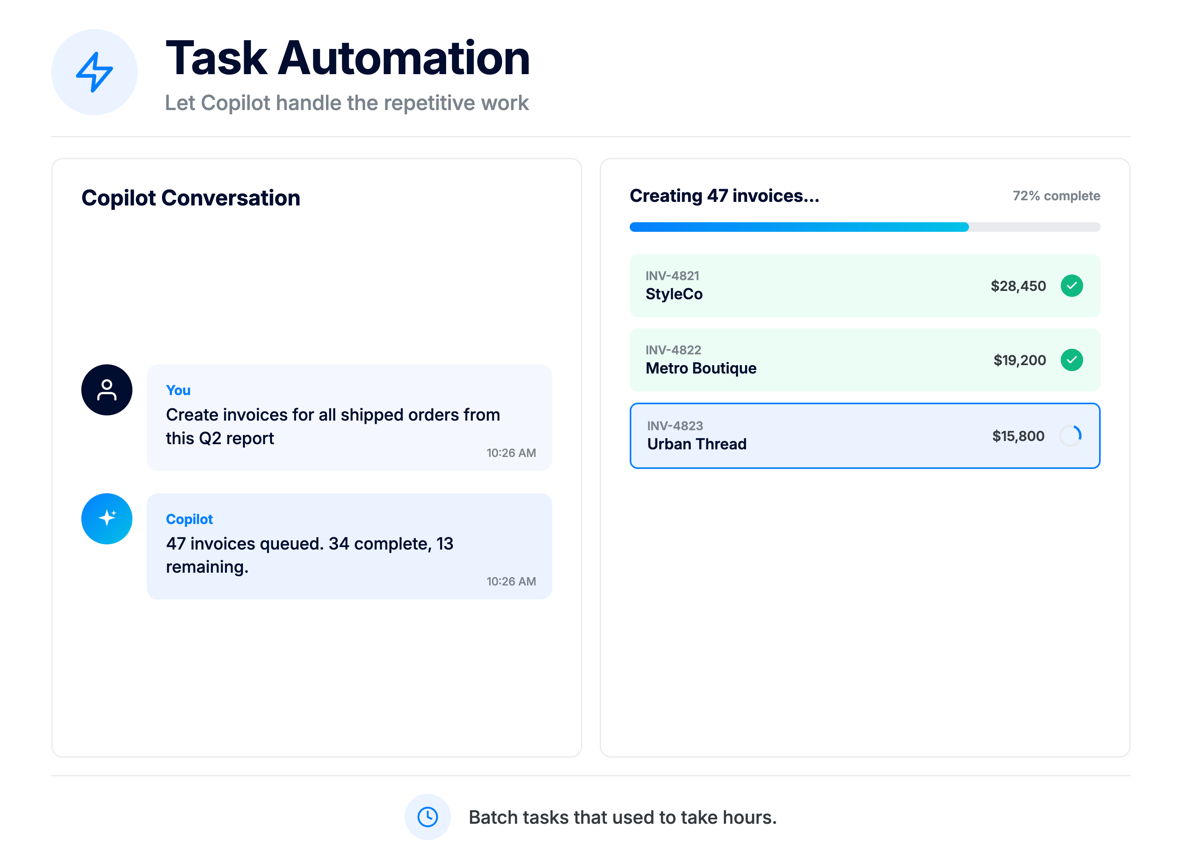
Use simple prompts to complete common actions like creating or updating records, running batch commands, or moving work forward without repetitive navigation.
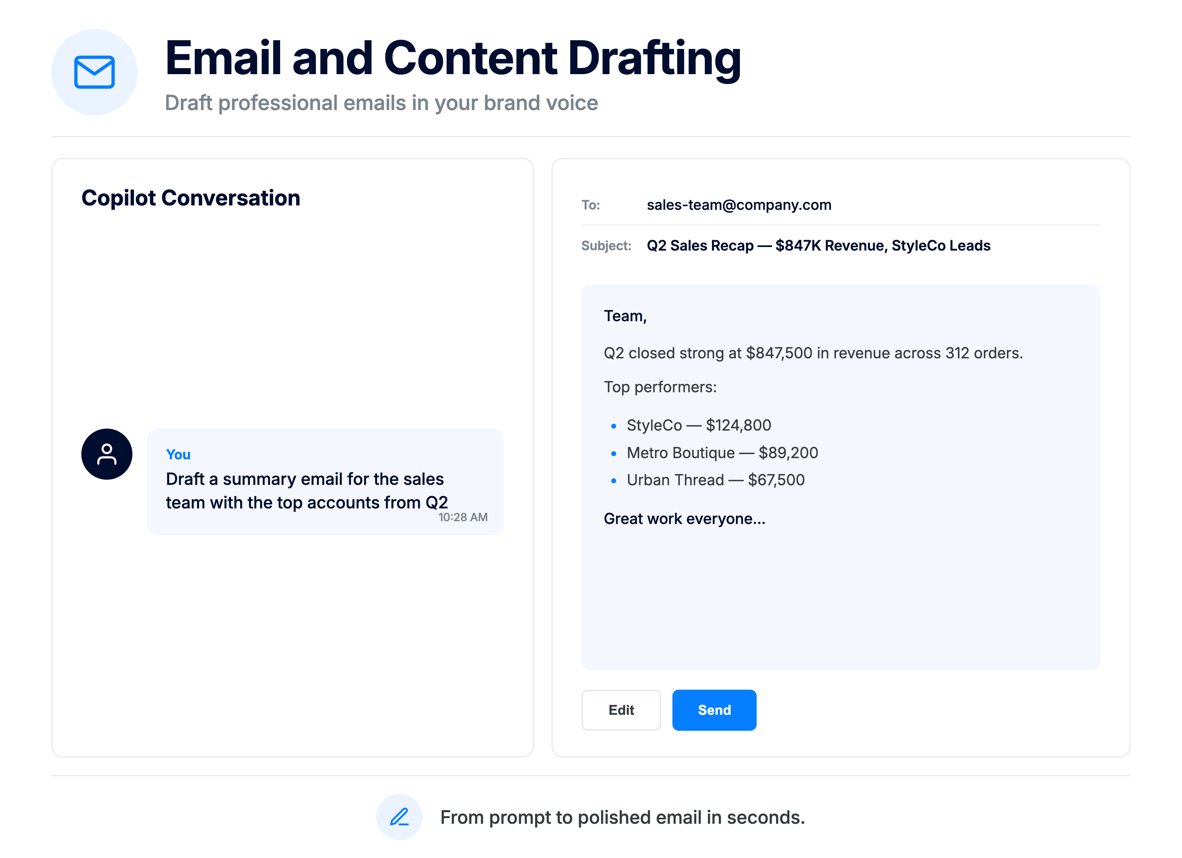
Generate review-ready emails or working copy for customer follow-up, internal updates, and record-related communication, then edit and approve before sending.
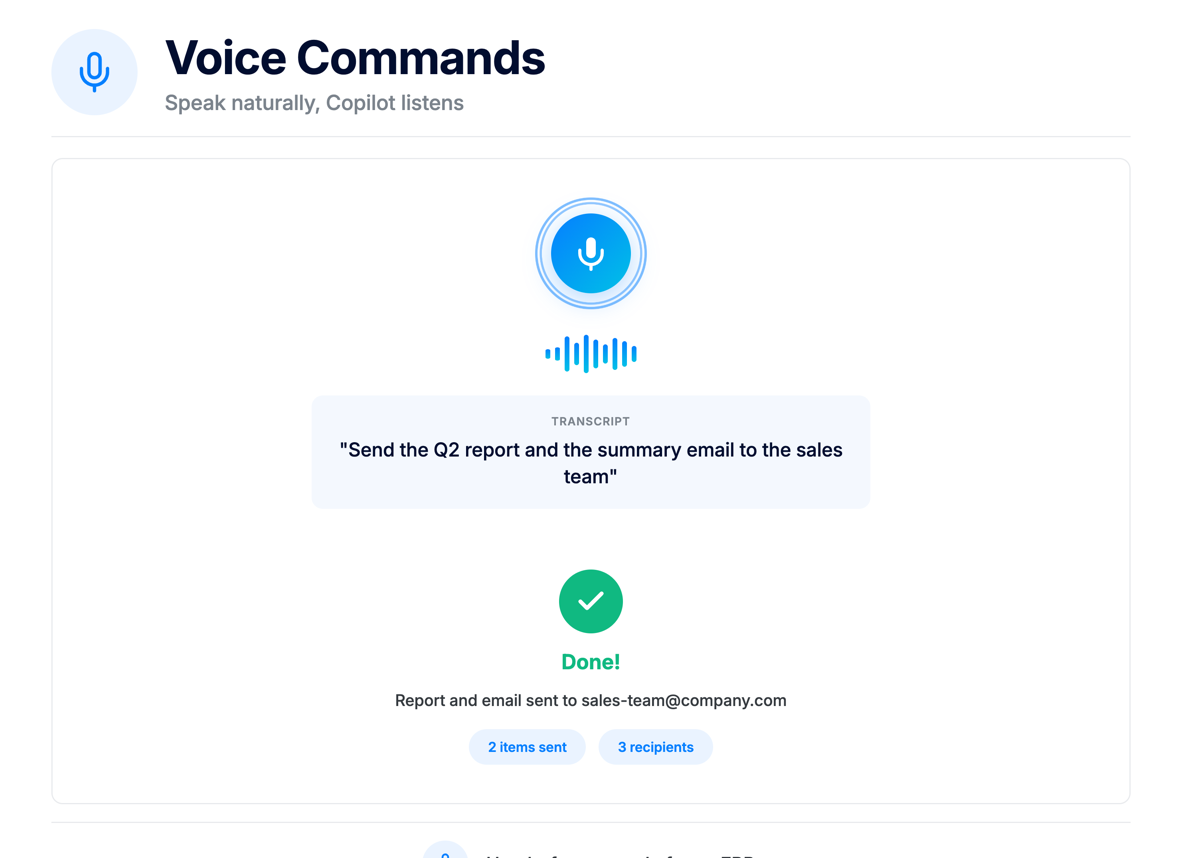
Use voice input to ask questions or give instructions when typing is not ideal, helping teams move faster while multitasking.
Work with spreadsheets, retain context, and handle more complex tasks with Copilot’s advanced capabilities.
Upload spreadsheets and use their data to perform actions in ApparelMagic, reducing manual entry and simplifying bulk tasks.
Copilot and AI Agents can retain relevant context and preferences across interactions, delivering more consistent and personalized assistance.
Run code to perform advanced calculations, process data, and tackle more complex tasks directly through Copilot.
Toggle Copilot capabilities based on the task at hand, use slash commands for quick actions, or speak your request with voice commands.
Toggle knowledge base, data query, web search, and modify capabilities on or off.
Speak requests instead of typing to ask questions, run tasks, or give instructions.
Type “/” to access quick commands like help, clear, and new conversation.
Continue the conversation with suggested questions based on the current chat.
Open Copilot from any page, ask what you need, and review the result in chat.
Ask questions about customers, orders, products, invoices, or sales without manually searching across screens.
Generate reports, summaries, and data insights through natural language requests.
Create, update, invoice, or modify records directly from the chat when permissions allow.
Draft customer, vendor, or internal emails without starting every message from scratch.
Combine ApparelMagic data with external research when your team needs more context.
Ask how-to questions and get ApparelMagic guidance while staying in your workflow.
Turn everyday tasks into simple conversations, giving your team a smoother, more efficient way to work.
ApparelMagic Copilot is an on-demand AI assistant built directly into ApparelMagic. It gives users a conversational way to work with business data, get help with everyday tasks, and interact with ApparelMagic without having to navigate through multiple screens.
Copilot can help you answer data questions, look up records, run aggregations, generate reports, create or update records, draft emails, search the web, generate images, and answer how-to questions from the ApparelMagic knowledge base.
ApparelMagic Copilot is available across all ApparelMagic plans, so users can access Copilot directly within the platform regardless of their plan.
Every ApparelMagic plan includes limited complimentary Copilot usage. For teams that need expanded access, additional Copilot usage is available through the ApparelMagic Intelligence add-on. It is offered at a flat price, with the rate varying based on your plan and billing terms.
Click the Copilot icon in the top-right corner of any page. From there, you can type or speak a request, ask a question about your data, generate a report, create or update records, or get help with ApparelMagic workflows.
Yes. ApparelMagic Copilot lets you upload spreadsheets and use their data to perform supported actions within ApparelMagic. This makes it easier to work with multiple records, reduce manual data entry, and complete tasks using information from your files.
AI Memory allows Copilot and AI Agents to retain relevant information, preferences, and context across interactions. This helps deliver more consistent, personalized assistance without requiring users to repeat the same information in every conversation.
The Code Sandbox allows Copilot to execute code for advanced calculations, data processing, and more complex analysis. It expands what Copilot can do beyond standard queries and reports, helping users work through data-intensive tasks.
Yes. Copilot can work with the ApparelMagic data available to the user, allowing teams to ask questions, find records, generate reports, and complete supported tasks using the business context already inside the platform.
Access remains tied to the user’s permissions and enabled capabilities, helping ensure Copilot only works with the data and actions that user is allowed to access.
Yes. Copilot can create, update, or delete supported records directly through the chat when the user has the appropriate permissions and the capability is enabled.
Yes. Copilot works within the permissions available to the user and includes capability controls for features such as knowledge base search, data queries, web search, and record modification. This gives teams more control over what Copilot can access and which actions it can perform.
Yes. Users can click the microphone icon and speak requests instead of typing. Voice commands work for asking questions, running reports, giving instructions, and other Copilot tasks.
Yes. Copilot conversations are saved and accessible from the sidebar. Conversations are grouped by date, and users can search across past chats.
Each Agent focuses on a different discipline, running scheduled jobs that surface issues and recommend actions.
Monitors stock, fulfillment, and warehouse activity to prevent shortages and keep orders moving.
Tracks customer activity to uncover opportunities, flag risk, and support follow-up at the right time.
Watches margins, invoices, and cost changes to help teams catch financial issues earlier.
Analyzes product performance and seasonality to support better planning and line decisions.