The teams at apparel brands already have the data they need to run the business, but they don’t always have the time to parse through it to make data-driven strategic decisions. Inventory, orders, invoices, customer activity, and product performance change constantly, with much of the review still depending on reports, exports, and recurring meetings.
An Apparel AI ERP is meant to close that gap by keeping the ERP as the system of record while AI sits on top of that data, so teams spend less time hunting for exceptions and more time deciding what to do about them.
Inside ApparelMagic, the tool that helps accomplish this is theApparelMagic Intelligence Suite
What Is ApparelMagic Intelligence?
ApparelMagic Intelligence is the AI-powered layer inside the ApparelMagic ERP, built for apparel and fashion brands. It combines artificial intelligence with the operational data already managed in the ERP, including styles, inventory, orders, customers, warehouses, and financial information.
Instead of requiring teams to search through reports or review different parts of the ERP manually, ApparelMagic Intelligence gives them new ways to work with that data. Users can ask questions, monitor specific conditions, automate recurring checks, and surface information that may need attention across different areas of the business.
The result is an AI-powered ERP experience that works with the same apparel-specific data teams already use to run the business, rather than requiring a separate AI platform.
How ApparelMagic Intelligence Works
ApApparelMagic Intelligence brings together several AI capabilities that support different parts of the apparel workflow:
- AI Agents: monitor defined areas of the business on a schedule and surface information that may require attention.
- Custom Agents: let teams create AI-driven workflows around their own business rules, priorities, and schedules.
- ApparelMagic Copilot: gives users on-demand help by answering questions, working with ERP data, and assisting with everyday tasks.
- ApparelMagic MCP: allows compatible external AI tools to securely work with approved ApparelMagic ERP and PLM data.
- ApparelMagic AI Designer: brings generative design into the same environment where product concepts can move closer to the styles and product data managed in ApparelMagic.
Because these capabilities work with the same operational context, teams don’t need to constantly export business data into separate AI tools. Copilot, AI Agents, and connected AI tools can work with the information already managed across ApparelMagic, creating a more connected AI experience across day-to-day operations.
How AI-Powered ERP Changes Apparel Operations
A traditional apparel ERP gives teams one place to manage the business, but someone still has to know where to look. That might mean running an availability report to find a broken size run, checking account history to see which customers have stopped ordering, or waiting for a monthly review to catch a margin change.
ApparelMagic Intelligence allows for a more proactive approach to that process. AI Agents can monitor defined conditions on a schedule, while Copilot lets users ask questions and work directly with ERP data. Recurring reviews no longer have to begin with multiple reports, exports, and spreadsheets just to understand what needs attention.
People remain in control throughout the process. ApparelMagic Intelligence follows existing user permissions, and agent actions require approval by default. Administrators can choose to allow specific trusted actions to run automatically when appropriate. The ERP continues to manage the underlying transactions, while planners, salespeople, controllers, and merchandisers decide how to respond.
AI Agents for Apparel Operations
The ApparelMagic Intelligence Suite includes agents built around the work apparel teams already do, and each one can run scheduled jobs, surface exceptions, and prepare follow-up from the data in its area. Jobs are disabled by default, so a brand can simply turn on only which ones they want, depending on what they want to watch.
| AI Agent | How it supports apparel operations |
|---|---|
| Inventory Agent | Watches stock, backorders, rush orders, warehouse balance, stockout risk, and replenishment needs |
| Sales Agent | Reviews customer activity, dormant accounts, declining buying patterns, and incomplete CRM records |
| Finance Agent | Monitors margins, overdue invoices, cost changes, tariff impact, and HTS classifications |
| Product Development Agent | Analyzes product performance, seasonality, stale styles, and possible line extensions |
Inventory Agent
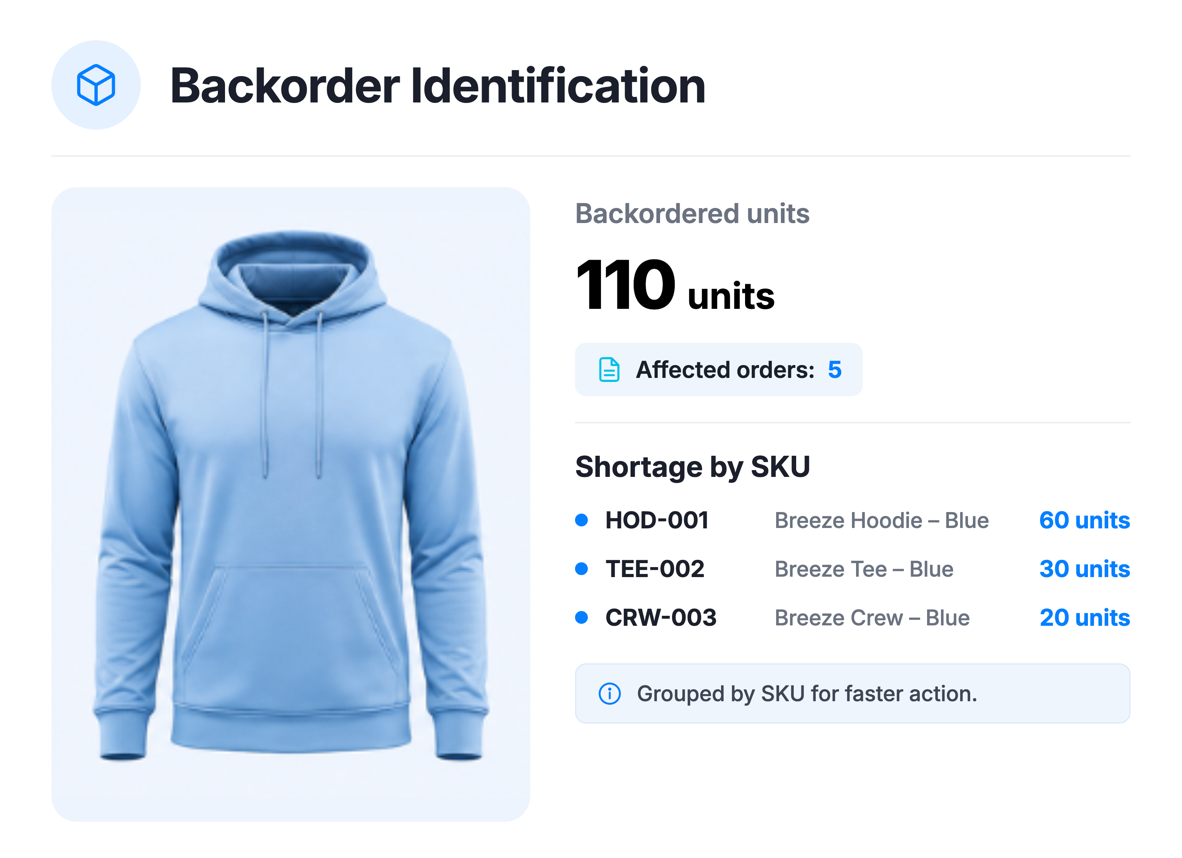
Apparel inventory can look healthy at the style level while still creating fulfillment problems when key sizes are missing in one warehouse and excess units are sitting somewhere else. Those imbalances become harder to catch when teams are also managing open orders, backorders, inbound supply, and changing demand.
The Inventory Agent monitors those conditions on the schedule you set and surfaces inventory risks that may need attention. It can identify coming stockouts, backorder pressure, warehouse imbalances, and replenishment needs, then prepare recommended actions for review.
For example, a core woven shirt may be close to stocking out in sizes 4 and 6 on the East Coast while the West Coast warehouse has excess inventory, and the next purchase order is still two weeks away. The agent can flag the imbalance and recommend a transfer, giving the planner time to decide whether to move stock, expedite supply, hold a release, or accept a short ship before the customer is impacted.
Sales Agent
Sales teams rarely miss a cancelled order, but they often miss the slower fade, such as an account that used to write every March, a specialty store whose units are down versus last season, or a wholesale customer sitting on open-to-buy while someone else fills the floor.
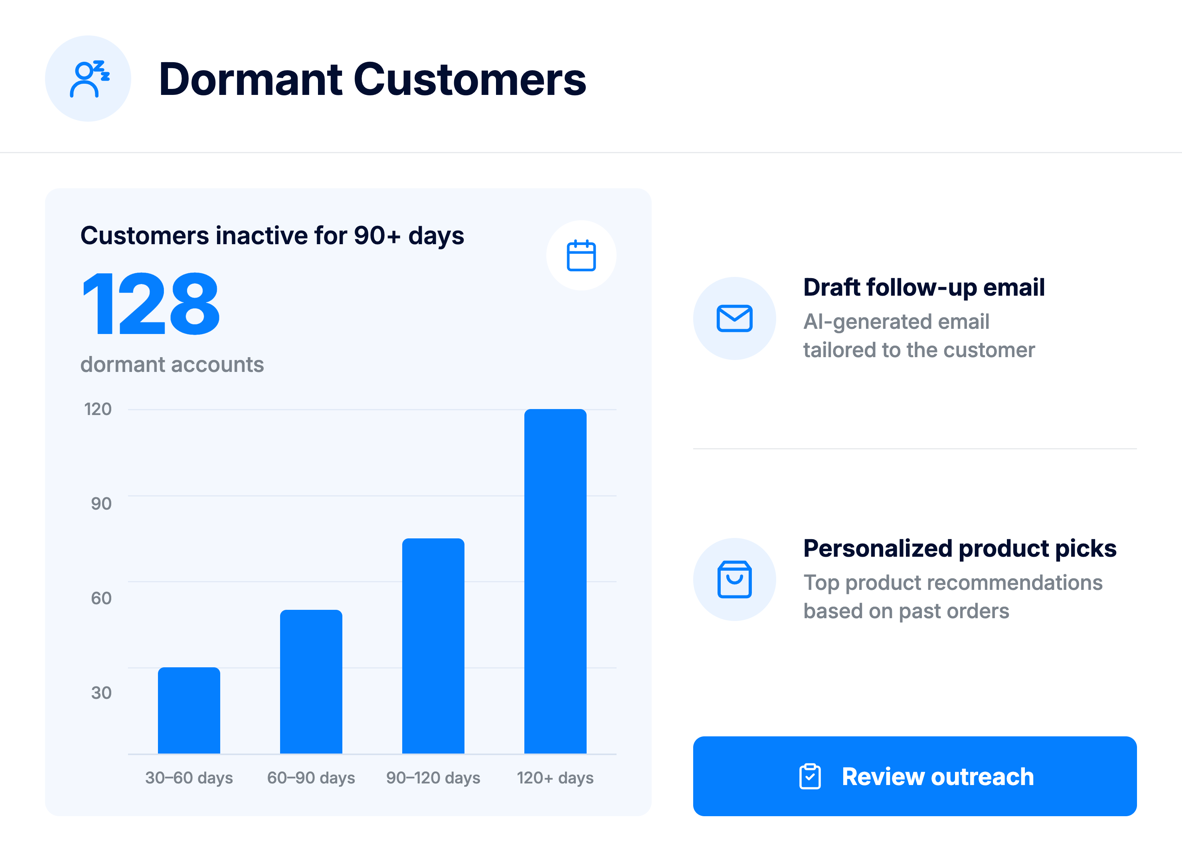
The Sales Agent can find dormant customers, flag accounts whose order frequency or volume is declining, and scan customer, ship-to, and contact records for missing information. It can draft personalized re-engagement or update-request emails that include product recommendations from that account’s order history, and those drafts wait in the inbox because the agent does not send without approval.
For example, a regional rep managing dozens of accounts may not notice that a long-time customer has missed its usual spring ordering window. If that account normally places an order within the same three-week period each year and no order appears, the agent can surface it while there is still time to follow up rather than letting it become a year-end surprise.
Finance Agent
Apparel finance is almost never a single number, because landed cost moves, discounts stack, returns come back after the invoice looks clean, and a style that booked well at wholesale can still lose money after chargebacks and promotions.
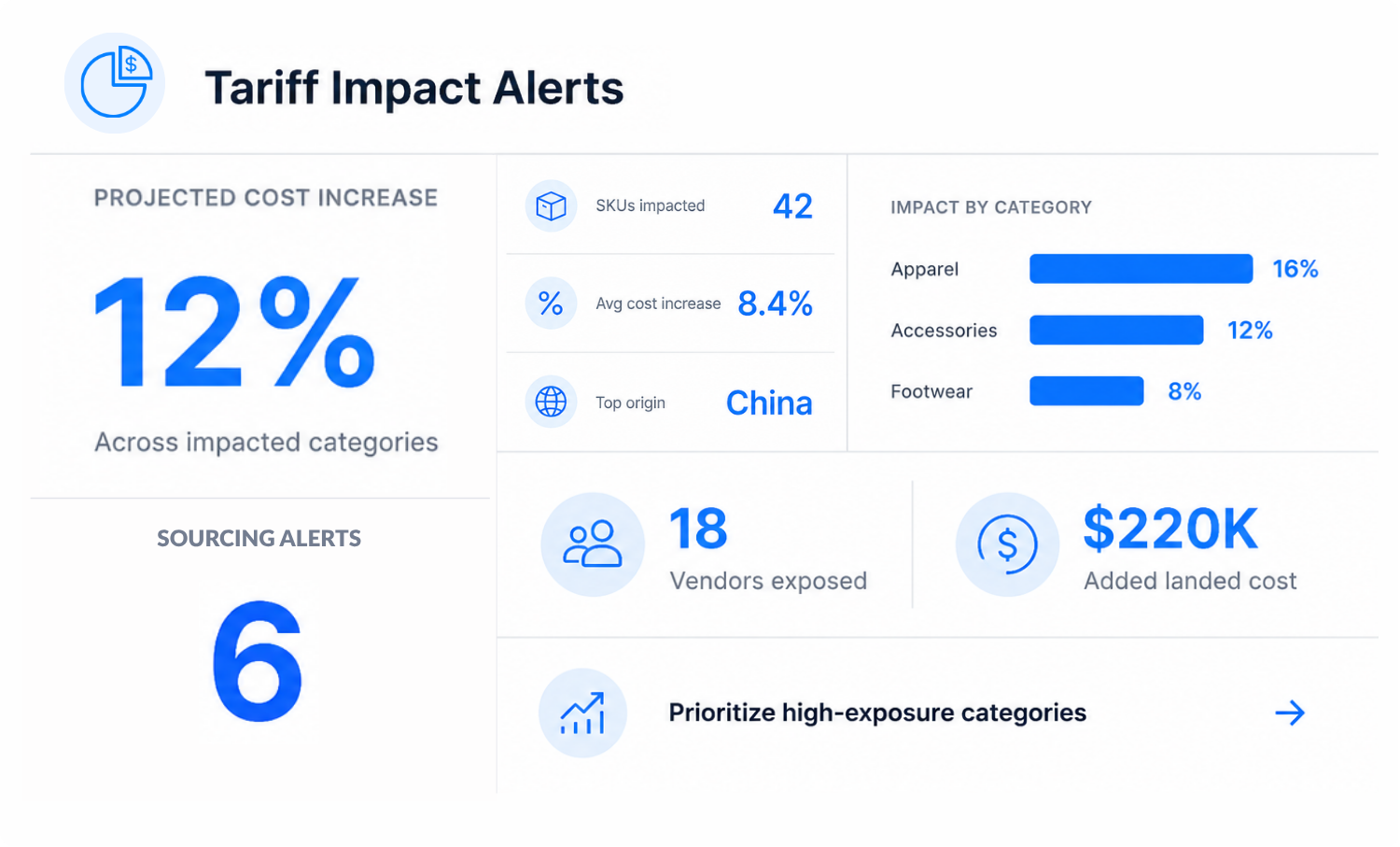
The Finance Agent monitors financial conditions that can affect profitability, cash flow, and cost exposure. It can surface margin deterioration, aging invoices, cost changes, and tariff or classification issues so finance teams can review them closer to the moment they occur.
For example, a denim style may show a healthy wholesale margin when the order is booked, then fall below target after a mid-season cost increase and retailer markdown allowance. Catching that change when it happens gives the team a chance to review the next purchase order before more inventory is committed and decide whether pricing, shipment, or promotional plans need to change.
Product Development Agent
Merchandising teams usually know which products were clear winners, but the more difficult decisions often sit between the obvious successes and failures. A color may lose momentum after the first few weeks, a size range may repeatedly break, or a category may generate strong unit sales without delivering the expected margin.
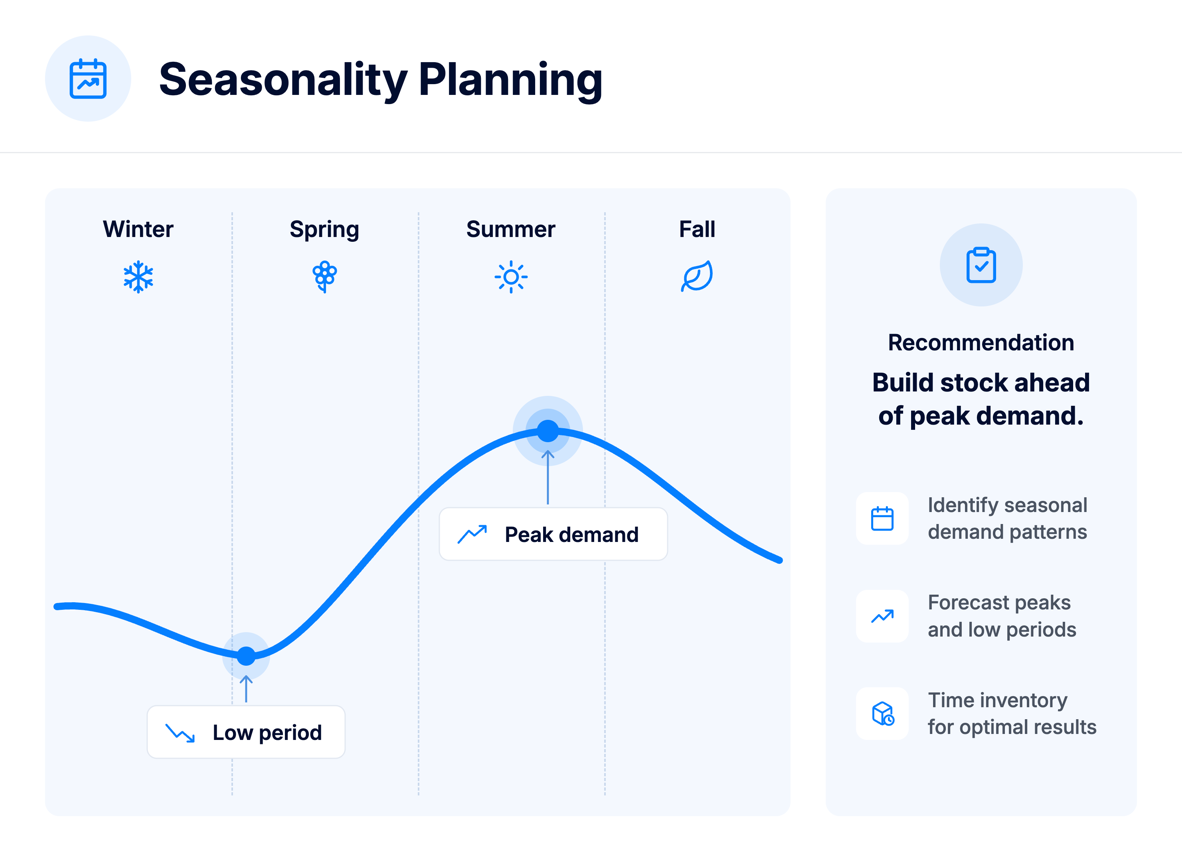
The Product Development Agent reviews historical sales for seasonal patterns, rank top and underperforming products, flag declining styles, and find active products with little recent demand. When a team is planning a collection, an on-demand job can suggest possible variations such as colorways, materials, or related products from best sellers and market context, and that job is meant for planning moments rather than a clock that runs every morning.
For example, a knit dress may sell strongly in black and ivory while the seasonal fashion color slows after early demand. Surfacing that pattern before the next line is finalized gives the merchandising team useful context to decide whether to drop the color, recut only the core options, or test it through a different channel.
Custom AI Agents for the Way Your Brand Works
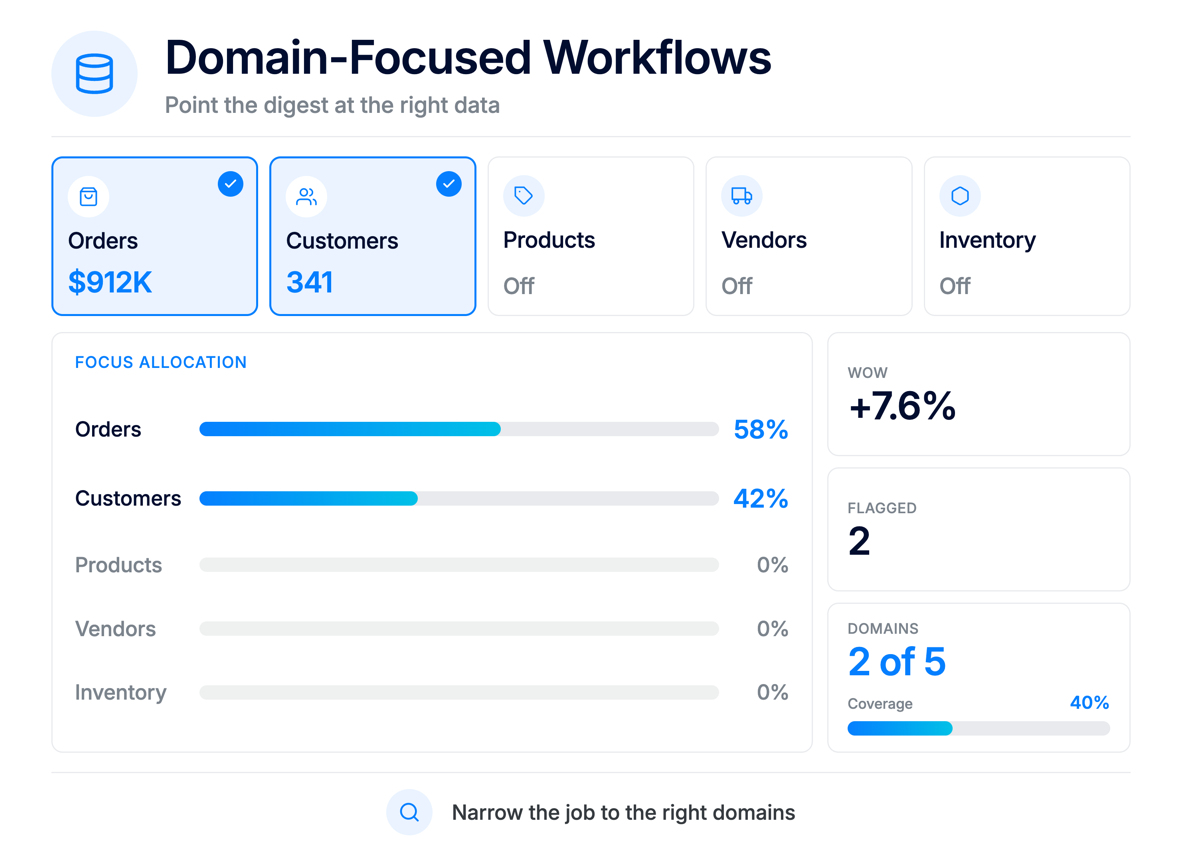
Pre-built agents are designed around common apparel workflows, while Custom Agents let brands create AI workflows for their own operating rules, reporting needs, and internal processes.
A team can define what a Custom Agent should monitor, which ApparelMagic data it can use, how often it should run, and what should happen when it finds something important. For example, a brand could create an agent that reviews aged inventory every Monday, flags styles that have been sitting for more than 120 days, groups them by division and warehouse, and sends the merchandising team a summary for review. Another could check late purchase orders each morning and surface only the ones that put confirmed customer orders at risk.
Custom Agents can also prepare recurring summaries, identify incomplete records before key deadlines, draft follow-up work, use web search when outside context is required, and notify the appropriate team when something needs attention. Access follows the permissions of the assigned user group, and actions that change data or trigger work can remain subject to approval until administrators choose to automate specific trusted steps.
The benefit is that the workflow adapts to the way the brand already operates. Instead of changing an internal process to fit a generic AI tool, teams can define the conditions, cadence, and output that matter to their business.
ApparelMagic Copilot: A Direct Way to Work With ERP Data
Not every task needs a schedule, and sometimes someone just needs an answer, a report, a draft, or help finishing a step.
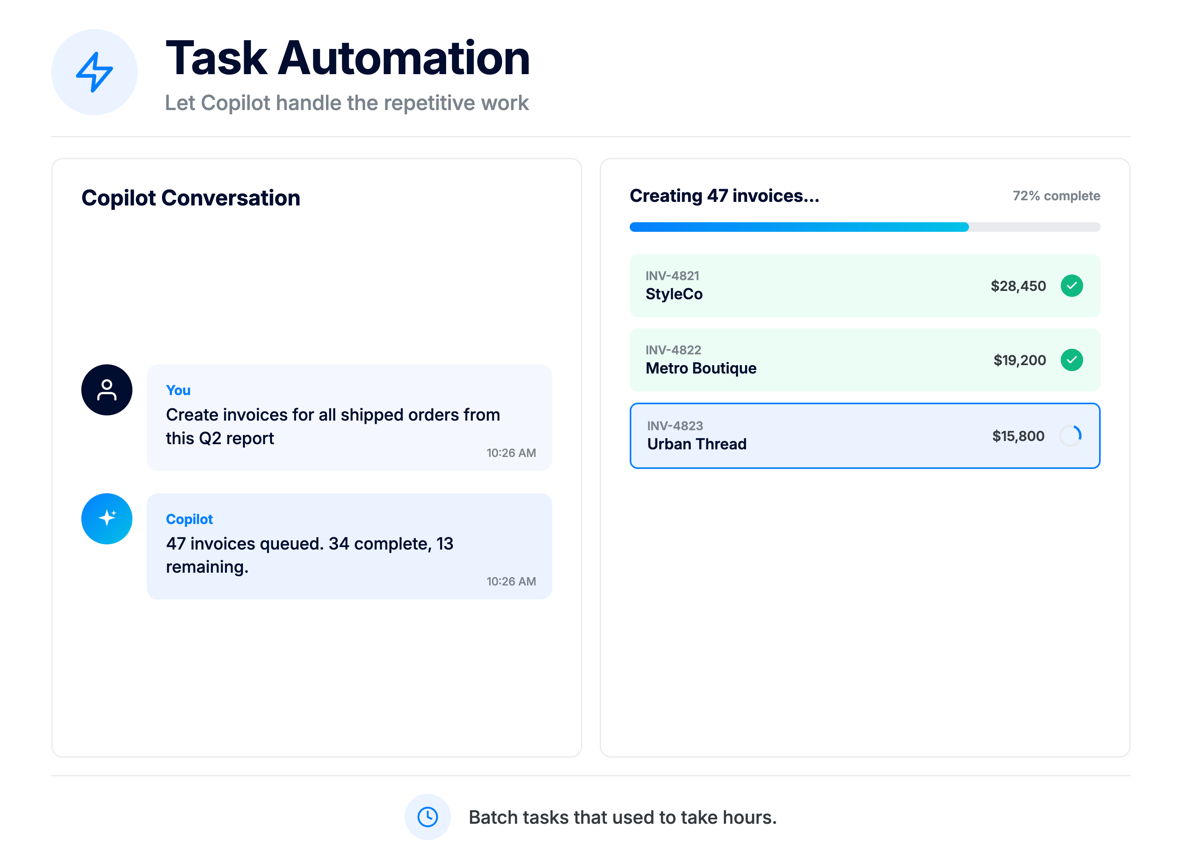
ApparelMagic Copilot is a conversational assistant inside ApparelMagic that lets users ask about business data, generate reports, create or update records they are allowed to touch, draft emails, search for outside information, or ask how to complete something in the platform.
Instead of clicking through several screens to answer “What were my top customers by revenue?” or “Which orders are shipping this week?”, they can ask directly. Copilot can also turn off data queries, knowledge-base access, web search, or record changes when the job is research-only, and voice input and slash commands are available if a team wants them.
The underlying records do not move to another system, so there is simply another way to find and work with them.
MCP: Connecting Approved AI Tools to ApparelMagic
Fashion brands rarely work in ApparelMagic alone. Ecommerce, CRM, fulfillment, accounting, and other systems usually sit around the ERP, and teams may also be working in compatible AI tools. In those cases, exporting spreadsheets or manually copying data just to give an AI tool the right context adds unnecessary steps.
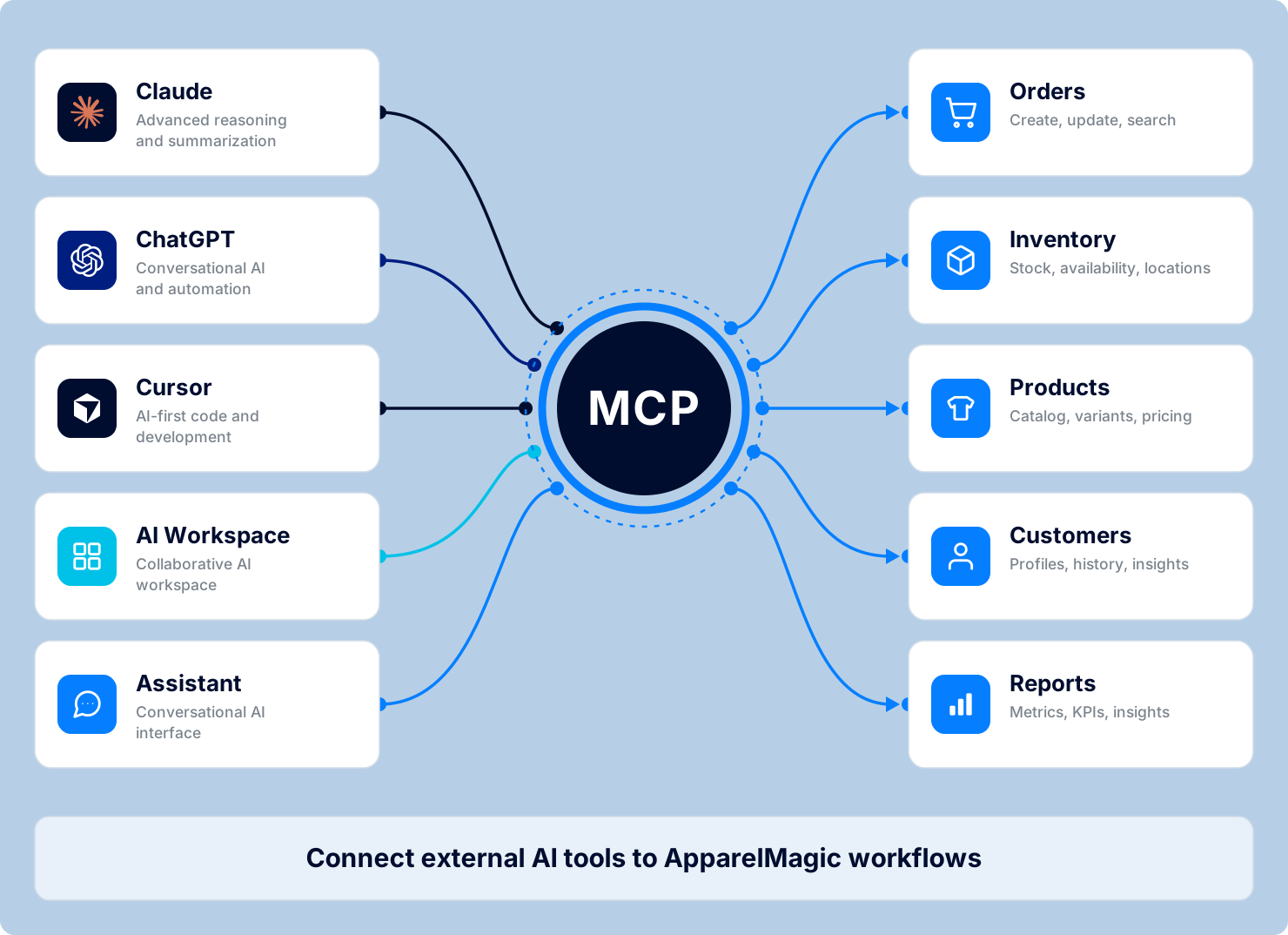
Model Context Protocol (MCP) provides a standard way for compatible AI tools to work with approved ApparelMagic data and actions. Through ApparelMagic MCP, tools such as ChatGPT, Claude, Gemini, Cursor, Codex, VS Code, Copilot Studio and other MCP clients can access ERP and PLM information based on the permissions of the connected user.
That means someone working in one of those tools can ask about recent orders, low-cover SKUs, invoice activity, styles, or other approved records without first exporting the data from ApparelMagic. MCP is not meant to replace existing ecommerce, accounting, or fulfillment integrations. Its role is to give approved AI tools a more direct way to work with the ApparelMagic context they need.
Access remains permission-based. MCP tokens are tied to a specific ApparelMagic user and can be configured for read-only or full access, with optional expiration and the ability to revoke access at any time.
ApparelMagic AI Designer: From an Idea to a Style Record
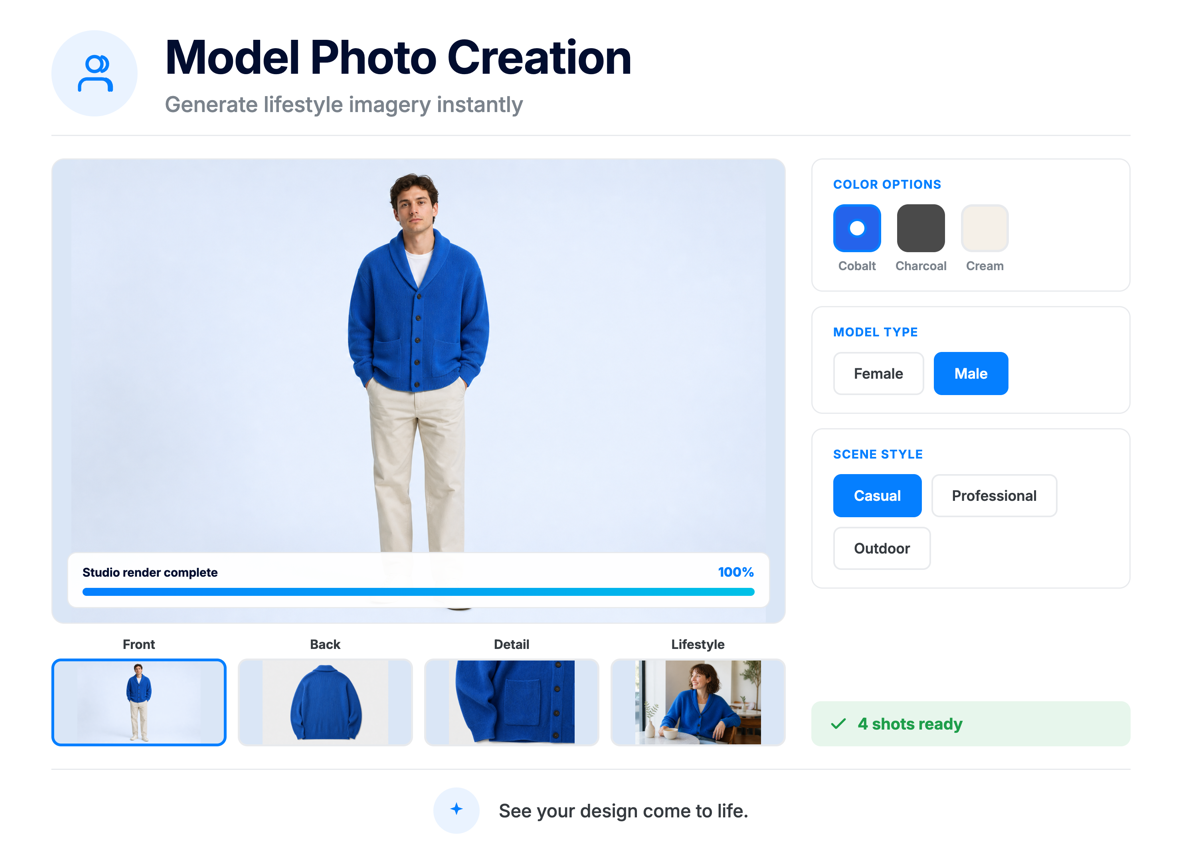
ApparelMagic Intelligence also supports early product development through the ApparelMagic AI Designer, a built-in generative design tool that lets teams create apparel product images, design concepts, and model visuals directly inside ApparelMagic.
A user can describe a garment in plain language and generate multiple visual directions, then refine a selected concept with follow-up instructions to change details such as colors, materials, or trims. The design can also be placed on a predefined, saved, or custom digital model to see how the product could look when worn.
Once the concept is ready, AI Designer can create a new style directly in the ApparelMagic catalog with an automatically generated style number and description. Teams can also download the images for use in lookbooks, presentations, line reviews, or other materials.
The result is a shorter path from idea to visual concept to product setup, all within the same ApparelMagic environment.
How Is ApparelMagic Intelligence Priced?
ApparelMagic Intelligence is available as an add-on to ApparelMagic plans. Access and flat-rate pricing tier vary based on ApparelMagic License/Term and the AI capabilities your team needs.
Every ApparelMagic plan includes limited complimentary access to ApparelMagic Copilot, while broader access to capabilities such as AI Agents, Custom AI Agents, MCP, and AI Designer is available through the ApparelMagic Intelligence Suite add-on.
For the latest information on pricing, access, and availability, please contact the ApparelMagic team.
A More Useful Way to Run the Day
An AI-powered ERP for apparel should do more than add a chat window to existing software. It should shorten the time between a change in the business and the moment someone is able to act on it.
Take a mid-size brand heading into a wholesale delivery week. The planner can start the day with styles that may break size at the shipping warehouse instead of rebuilding that list from several reports. Sales can see which accounts usually order by now but have not. Finance can catch a margin change before the next purchase order is confirmed, while product teams can bring last season’s performance into the next assortment decision.
That does not remove people from the process. It changes where their time goes. Instead of spending the first part of the day finding the issue, teams can spend more time deciding whether to transfer inventory, follow up with an account, adjust a buy, or change a product plan.
The ApparelMagic Intelligence Suite brings that approach together through AI Agents, Custom Agents, Copilot, MCP, and AI Designer. By connecting AI directly with the apparel data already managed in ApparelMagic, it helps teams monitor what is changing, surface what needs attention, and move from information to action with less manual work.